

























We’re excited to announce Post SMTP v4.0.1 with two new SMTP mailer integrations: SMTP.com and Cloudflare Email Service.
Post SMTP already supports 20+ SMTP mailers, and we’re continuing to give you more options for sending WordPress emails. With this update, you can connect your website with two more email delivery services directly from the Post SMTP Setup Wizard.
Whether you run a business website, a WooCommerce store, or manage websites for clients, these new integrations give you more flexibility to choose the email service that fits your needs.
Send WordPress Emails with SMTP.com
SMTP.com is a transactional email service built for reliable email delivery at scale. It supports 99.99% uptime and powers billions of emails every month.
With plans starting at $25/month for 50,000 emails, SMTP.com gives businesses a scalable way to handle WordPress emails. The service also offers detailed reporting and expert support.
With the new SMTP.com mailer integration, you can connect your WordPress website through SMTP.com’s Email Relay API and start sending without entering SMTP host, port, username, or password details.
How to Set Up SMTP.Com with Post SMTP
First, create an SMTP.com account and verify your sending domain. SMTP.com will provide the SPF and DKIM records you need to add to your domain’s DNS settings.
Next:
- Go to Post SMTP → Dashboard → Setup the Wizard.
- Select SMTP.com as your mailer.
- Enter your From Email and From Name.
- Add your SMTP.com API Key.
- Add your Channel name if your account requires one.
- Save the settings and send a test email.
Once the test email succeeds, your WordPress site can start sending emails through SMTP.com.
For the complete setup process, including domain verification and SPF and DKIM configuration, read our detailed SMTP.com with Post SMTP documentation.
Connect Post SMTP with Cloudflare Email Service
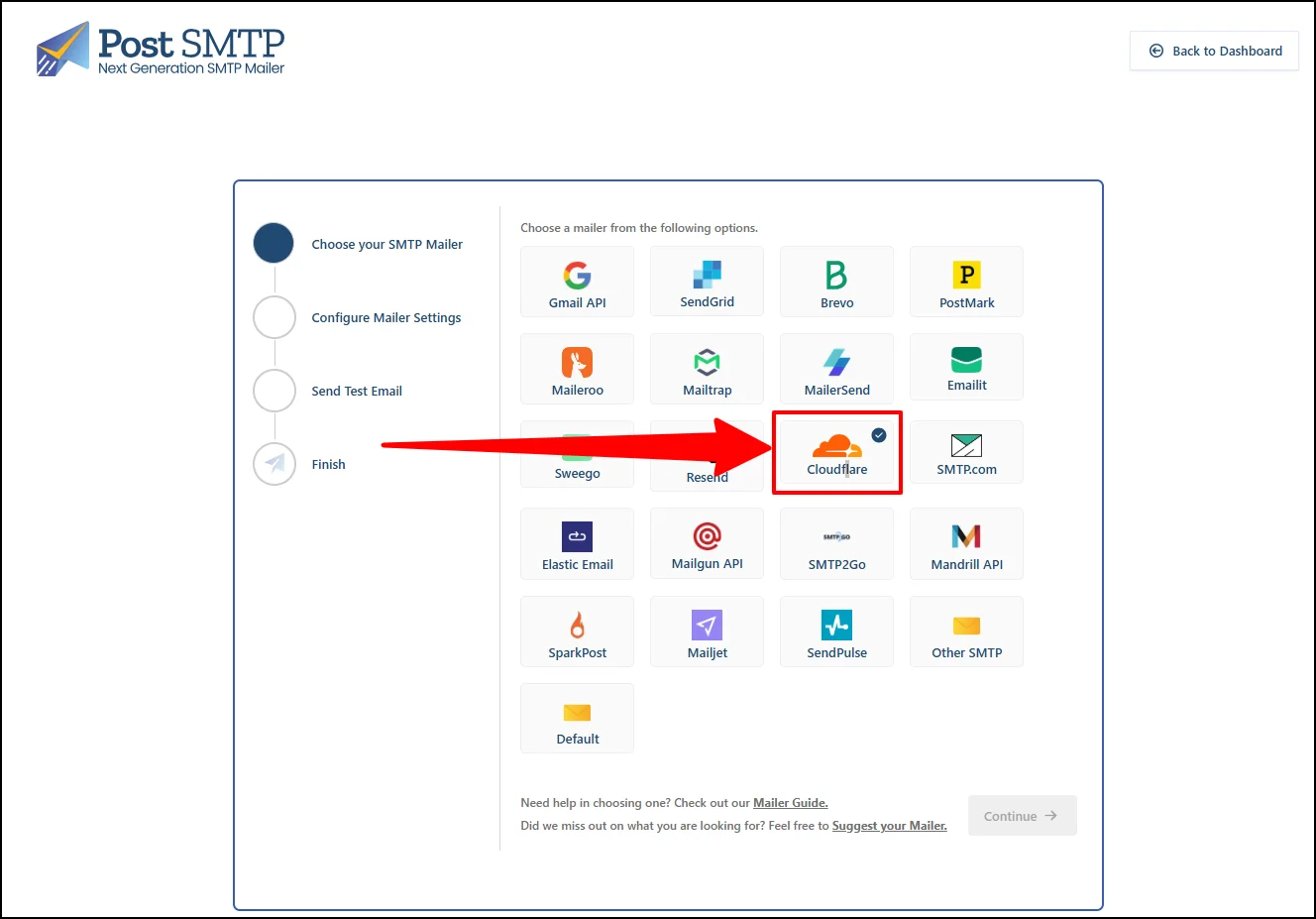
Post SMTP v4.0.1 also adds support for Cloudflare Email Service.
This integration gives you another option for sending WordPress emails through a trusted email infrastructure provider.
You can select Cloudflare Email Service directly from the Post SMTP Setup Wizard and configure it alongside your other available mailer options.
This addition gives you more flexibility when choosing the email delivery service that fits your WordPress website.
More Options for Reliable WordPress Email Delivery
We built Post SMTP to give WordPress users more control over email delivery.
With SMTP.com and Cloudflare Email Service now available in Post SMTP v4.0.1, you have even more choices when configuring your WordPress email system.
You can choose the mailer that fits your setup and use Post SMTP to manage your WordPress emails from one place.
Update to Post SMTP v4.0.1 Today
Post SMTP v4.0.1 is now available for free.
Update your Post SMTP installation from your WordPress dashboard and explore the new SMTP.com and Cloudflare Email Service integrations.
If you already use SMTP.com or Cloudflare Email Service, this update gives you a simple way to connect your WordPress site and start sending emails through your preferred service.
Want to see what’s coming next? Check out our roadmap, and if you need any help, our Customer Support team is always here to help.
