



























For many WooCommerce stores, reliable email delivery is essential. Order confirmations, shipping updates, password resets, customer invoices, and account notifications keep customers informed throughout the buying process.
When these emails fail to arrive, customers may not know whether their order went through, where their package is, or how to reset their password. This can increase support requests and create a poor customer experience.
The problem often starts with the way WordPress sends email by default. WordPress uses the wp_mail() function, which uses PHPMailer and, by default, sends messages through PHP’s mail() transport. Your hosting server must have a working mail configuration for this method to work reliably.
An SMTP plugin changes this setup by connecting WordPress to an SMTP server or transactional email provider. Instead of relying on your web server’s default mail configuration, you can route your WooCommerce emails through a dedicated email-sending service.
However, choosing the right SMTP plugin can feel difficult with so many options available. Some plugins focus on simple SMTP configuration, while others offer email logs, multiple mailers, failure alerts, routing, fallback connections, and detailed reporting.
In this guide, we compare six of the best SMTP plugins for WooCommerce in 2026 based on email deliverability features, mailer support, WooCommerce compatibility, email logging, ease of setup, pricing, and scalability.
6 Best SMTP Plugins for WooCommerce
Here are the six SMTP plugins we recommend for WooCommerce:
- Post SMTP — Best overall for advanced email delivery and monitoring
- WP Mail SMTP — Best for guided setup
- FluentSMTP — Best free and open-source SMTP plugin
- Easy WP SMTP — Best for simple SMTP setup
- Brevo — Best for transactional and marketing email in one platform
- WP Offload SES — Best for stores using Amazon SES
How We Evaluated These WooCommerce SMTP Plugins
We compared these plugins based on the features that matter most when you manage WooCommerce email delivery:
- SMTP and API mailer integrations
- Email logging and troubleshooting
- Email failure notifications
- Backup or fallback connections
- Automatic retry capabilities
- WooCommerce compatibility
- Ease of configuration
- Free and premium features
- Pricing
- Scalability for growing stores
Each plugin takes a different approach, so there is no single solution that fits every WooCommerce store. The right choice depends on your preferred email provider, sending volume, technical experience, budget, and monitoring requirements.
Let’s look at each option in detail.
1. Post SMTP
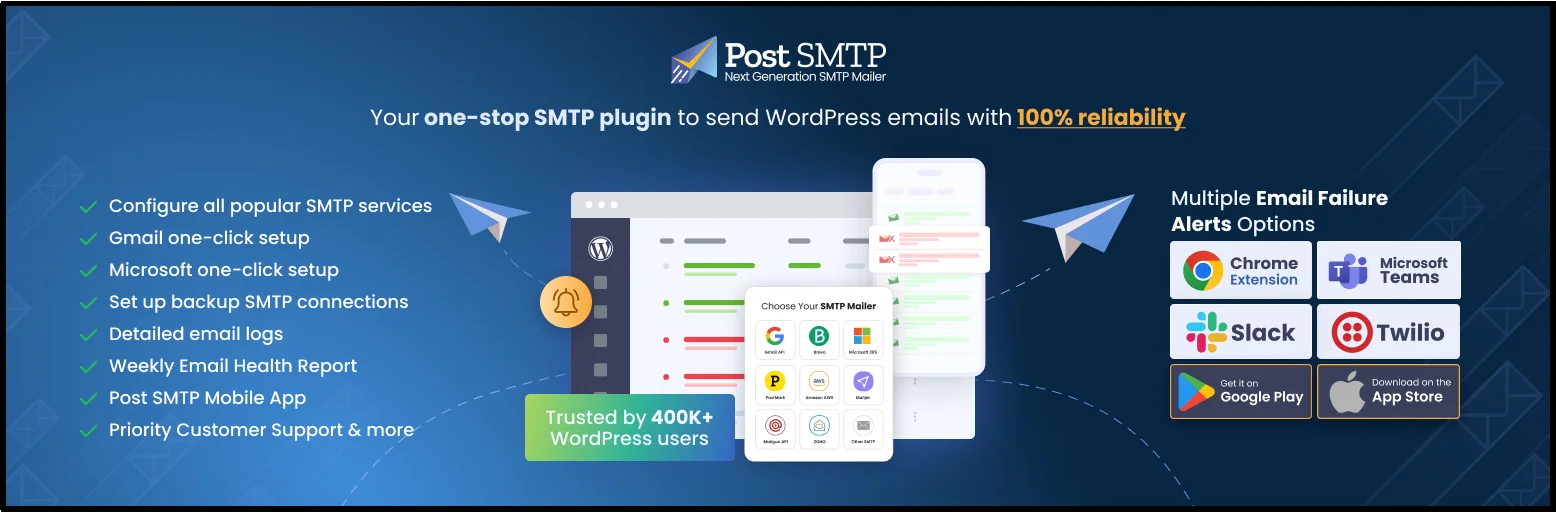
Post SMTP is a WordPress email delivery plugin that connects your website to SMTP and API-based mailers. It helps WooCommerce store owners manage outgoing emails, monitor email activity, troubleshoot failures, and configure backup delivery options.
Post SMTP has 300,000+ active installations on WordPress.org and a 4.7/5-star rating.
For WooCommerce stores, the plugin’s biggest strengths include email logs, failure notifications, fallback mailing, retry options, and mobile monitoring. You can use these features to identify failed order notifications and take action without relying solely on your hosting server’s mail system.
Key Features:
- Email Logging: Lets you view email error details, email transcripts, and attachments, resend emails in bulk, and set an email log retention period.
- Mobile App: Provides instant email failure notifications, email logs, failed email resending, open email tracking, and support for connecting multiple WordPress sites. It also supports MainWP.
- Advanced Email Delivery: Automatically resends failed emails and lets you schedule email sending based on your email quota.
- Multiple Mailer Integrations: Supports Microsoft One-Click Setup, Google/Gmail One-Click Setup, Microsoft 365, Google Workspace, Amazon SES, Brevo, Zoho Mail, SendGrid, Mailgun, Elastic Email, SparkPost, SendPulse, Mailjet, Mandrill, Postmark, Resend, MailerSend, Emailit, and Maileroo.
- Email Reporting and Tracking: Provides open email tracking and an Email Health Report to help you monitor email activity and delivery performance.
- Instant Email Failure Notifications: Sends email failure alerts through Microsoft Teams, webhooks, Slack, the Chrome extension, and Twilio.
- Email Testing and Troubleshooting: Helps you test your email configuration and investigate email errors using email logs, error details, and transcripts.
Check out the full features list.
Pros
- Extensive SMTP and API mailer support
- Email logging and troubleshooting tools
- Fallback mailer support
- Multiple failure-notification options
- Mobile monitoring
- Suitable for WooCommerce transactional emails
- Free version includes core email logging
Cons
- The large feature set can feel overwhelming if you only need basic SMTP configuration.
- Some advanced email monitoring features require premium plans.
Pricing
Post SMTP follows a freemium model, offering a feature-rich free version with SMTP connectivity, email logs, and multiple mailer integrations. Premium plans start at $59.99/year for a single site and include advanced features, with pricing increasing based on the number of sites. All Pro plans come with a 14-day money-back guarantee for risk-free testing.
Best For
WooCommerce store owners who want advanced email monitoring, extensive mailer support, failure alerts, email logs, and fallback delivery options.
2. WP Mail SMTP

WP Mail SMTP, another widely used WordPress SMTP plugin, has over 4 million active installations. It is a product of the WPForms team, a company known for its user-friendly and feature-rich plugins.
This plugin is designed as a complete email management solution for WordPress. Its notable feature is the one-click setup wizard, which makes connecting to popular mail services incredibly easy for users of all skill levels. They also offer comprehensive email logging that tracks every email sent from your site and provides detailed delivery-status insights, which can help e-commerce stores.
Key Features:
- Comprehensive Features: The Pro and Elite versions offer a complete suite of tools, including email tracking, a backup connection, smart email routing, and more.
- Good Customer Support: The higher-tier plans provide access to priority support from a dedicated team of experts.
- White Glove Setup: A unique, hands-off service where their team of experts will configure the plugin for you, ensuring a flawless setup.
- Wide Mailer Compatibility: It supports numerous third-party mailers, providing a flexible solution.
Pros
- Beginner-friendly setup wizard
- Large user base
- Wide range of mailer integrations
- Detailed email logs on Pro
- Email resending
- Backup connection and smart routing on premium plans
Cons
- Email logs feature is in the premium plans.
- Several advanced email-management features require a paid plan.
- The large feature set may be more than you need for a basic SMTP setup.
- Premium pricing can become significant for users managing multiple websites.
Pricing:
WP Mail SMTP offers a free version, but many advanced features are only available through its premium plans. Pricing is based on the number of sites: the Elite plan costs $99/year for a single site, while the Developer plan costs $199/year for up to 20 sites, making it a suitable option for agencies and freelancers managing multiple websites.
Best For
WooCommerce users who want a beginner-friendly setup wizard and a well-established SMTP plugin with extensive mailer support.
3. Fluent SMTP
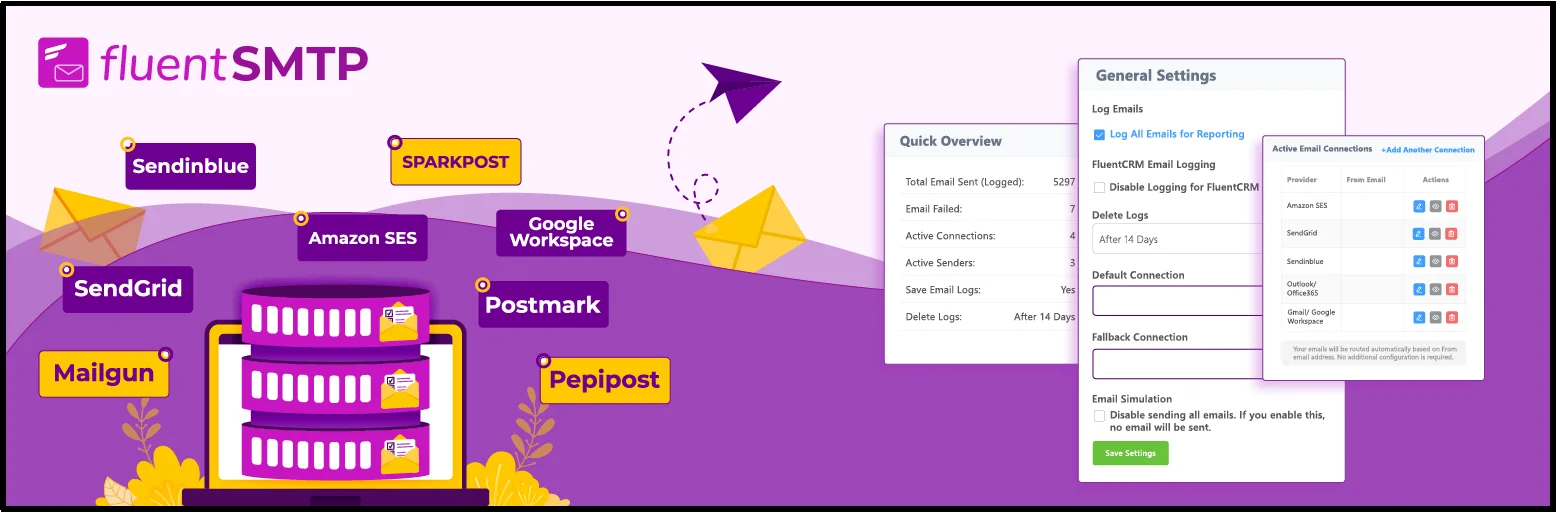
Fluent SMTP has crossed 600,000+ active installations and comes from WPManageNinja, the team behind Fluent Forms and FluentCRM. WPManageNinja built it as a 100% free, open-source plugin, and the developers have publicly stated it will stay that way; they do not plan to release a Pro version or paid tier.
The plugin lets you connect multiple email service providers at once and route messages based on the sending address, so transactional emails and marketing emails can each go through a different provider if you want that setup. It also comes with a Vue.js powered admin interface, which feels quicker than the standard PHP-rendered screens that some other SMTP plugins use.
Key Features:
- Free Feature Set: The free version includes email logging, multiple SMTP connections, smart routing, and detailed reports, features that other plugins often lock behind a premium plan.
- Wide Provider Support: Works with Amazon SES, SendGrid, Mailgun, Postmark, Brevo, Gmail, and other SMTP- or API based mailers.
- Fluent Ecosystem Integration: Connects naturally with Fluent Forms and FluentCRM, though it works fine as a standalone plugin too.
- Fast Interface: The Vue.js based dashboard loads and updates without full page reloads.
Pros
- Completely free
- Open source
- No Pro version or locked features
- Multiple mailer connections
- Email logs
- Reporting
- Broad provider support
Cons
- The configuration can require more technical knowledge than some guided SMTP plugins.
- Users who prefer dedicated premium support may prefer a commercial plugin.
- Its large feature set may feel unnecessary for a basic one-mailer setup.
Pricing:
Fluent SMTP is free to install and use, with no premium plans, upgrade prompts, or feature restrictions. All logging, routing, and reporting features are available from the start.
Best For
WooCommerce store owners and developers who want a powerful, free SMTP plugin with multiple mailers, routing, logging, and reporting.
4. Easy WP SMTP

Easy WP SMTP is a popular WordPress plugin designed to solve email deliverability issues by re-routing emails through a third-party SMTP server.
It is a straightforward and reliable tool, built to handle a variety of mail services and ensure that important transactional emails from your WooCommerce store are sent securely and arrive in your customers’ inboxes. The plugin has a reputation for simplicity, making it a good fit for users who want to avoid complex configurations.
The plugin provides a few key features to help with this process. Its user-friendly setup wizard simplifies SMTP configuration by guiding you step by step through connecting your WordPress site to an external mail service. It supports popular providers such as Gmail, Outlook, SendGrid, and Mailgun, giving you a solid range of options.
Once configured, it replaces the default wp_mail() function with a more reliable method. It also includes an email test tool that lets you quickly verify that your new SMTP connection is working correctly.
Key Features:
- Setup Wizard: Guides you through configuring your SMTP connection or supported mailer.
- Multiple Mailers: Supports several transactional email providers and custom SMTP servers.
- Email Testing: Lets you send test emails to verify your configuration.
- Email Logging: Pro users can log and review emails sent from WordPress.
- Email Alerts: Pro users can receive failure notifications through email, Slack, Microsoft Teams, Discord, SMS, and webhooks.
- Backup Connection: Pro provides a secondary connection that can take over when the primary connection fails.
- Smart Conditional Routing: Lets you route different emails through different mailers based on conditions such as the From or To address, subject, message content, or source plugin.
Pros
- Simple setup
- Setup wizard for beginners
- Supports SMTP and API-based mailers
- Test email functionality
- Backup connection available in Pro
- Email logging available in Pro
- Smart routing available in Pro
Cons
- Email logs feature is in the premium plans.
- Several advanced features require Pro.
- Some mailer integrations also require Pro.
- Users looking for advanced email monitoring may need the premium version.
Pricing:
Easy WP SMTP offers a free version with basic SMTP functionality, while advanced features like email logging, priority support, and additional integrations require a Pro license. Premium plans are priced annually based on the number of sites, with the Plus plan costing $99.50/year for up to 5 sites. This plan includes a broader set of features suited for growing websites and businesses.
Best For
WooCommerce store owners who want a straightforward SMTP setup with the option to add advanced email management features later.
5. Brevo

Brevo is an email marketing and transactional email platform with a WordPress plugin that connects your website to Brevo’s email infrastructure.
Unlike a traditional SMTP-only plugin, Brevo combines transactional email with marketing automation, contact management, SMS, WhatsApp, push notifications, and other customer communication tools.
That makes it particularly useful for WooCommerce businesses that want to manage both transactional emails and marketing communications through one platform.
The Brevo WordPress plugin also integrates with WooCommerce and supports ecommerce features such as abandoned-cart recovery, product recommendations, and revenue tracking.
Key Features:
- Transactional Email: Sends WordPress and WooCommerce emails through Brevo’s infrastructure.
- Email Marketing: Create campaigns and manage subscribers alongside transactional email.
- WooCommerce Integration: Connects Brevo with WooCommerce for ecommerce-focused features.
- Marketing Automation: Build automated email workflows based on customer activity.
- Contact Management: Store and segment contacts within the Brevo platform.
- Analytics: Track email performance and customer engagement.
Pros
- Combines transactional and marketing email
- WooCommerce integration
- Marketing automation
- Contact management
- SMS and WhatsApp capabilities
- Free WordPress plugin
- Free Brevo plan available
Cons
- It focuses on the broader Brevo platform rather than SMTP alone.
- Businesses that only need a simple SMTP connection may not need its additional marketing features.
- You depend on Brevo’s platform when using its WordPress integration.
Pricing:
Brevo does not charge a separate plugin fee, as costs are tied to its email service plans based on monthly sending volume. The Starter plan supports 100,000 emails for approximately $62.08/month, with optional add-ons such as Brevo branding removal available for an additional $10.80/month. This pricing model suits businesses already using Brevo’s broader marketing platform.
Best For
WooCommerce businesses that want transactional email, email marketing, automation, and customer communication tools in one platform.
6. WP Offload SES

WP Offload SES is another plugin designed to integrate your WordPress site directly with Amazon’s Simple Email Service (SES). Developed by Delicious Brains, this plugin streamlines the process of using Amazon SES to send all of your WordPress and WooCommerce emails.
It is a powerful tool for site owners who need the reliability, scalability, and cost-effectiveness of a major cloud service like AWS for their email delivery, without the complexity of configuring Amazon’s platform from scratch. The plugin is a simple, effective bridge between your site and the Amazon SES API.
In an article where we learned to set up an SMTP server for less than $100, we also used Amazon’s affordable email API services.
Key Features:
- Amazon SES Integration: Sends WordPress emails through Amazon SES.
- Email Logging: Records email activity so you can review and troubleshoot outgoing messages.
- Email Queue: Queues emails locally before sending them to Amazon SES.
- Automatic Retries: Its queue system can retry certain temporary sending failures.
- Email Health Reporting: Provides reports that help you monitor email-sending activity.
- AWS Infrastructure: Uses Amazon SES rather than a general-purpose SMTP provider.
- Verified Senders: Lets you manage verified senders for Amazon SES.
Pros
- Direct Amazon SES integration
- Scalable email infrastructure
- Email logging
- Queue-based email delivery
- Automatic retry support
- Useful for AWS-focused businesses
- Supports multiple Amazon SES regions
Cons
- It focuses on Amazon SES rather than supporting multiple unrelated email providers.
- AWS setup can require more technical knowledge.
- You need an AWS account and must manage Amazon SES configuration and costs.
- Stores that want multiple unrelated mailers may prefer a multi-provider SMTP plugin.
Pricing
WP Offload SES offers a free version with basic email sending capabilities, while advanced features such as email logging, auto-retry, and engagement tracking require a premium license. Paid plans start at $80 for a single site, with the Gold plan priced at $160 for up to 5 sites and including additional features. Pricing scales based on the number of websites you need to support.
Best For
WooCommerce stores that already use Amazon Web Services or want to send transactional email through Amazon SES.
SMTP Plugin vs. SMTP Provider: What’s the Difference?
Before choosing an SMTP solution, it helps to understand the difference between an SMTP plugin and an SMTP provider.
An SMTP plugin runs on your WordPress website. It connects WordPress and WooCommerce to an email-sending service and can provide features such as email logs, routing, failure notifications, and fallback connections.
An SMTP provider or transactional email provider supplies the infrastructure that actually handles your outgoing messages.
For example:
WooCommerce → SMTP plugin → SMTP/API mailer → Recipient’s mail server → Inbox
The SMTP plugin manages the connection between your WordPress site and the SMTP mailer. The email provider handles the actual message delivery infrastructure.
Some plugins support both traditional SMTP connections and API-based mailers. API connections can communicate with an email service over HTTPS instead of sending messages through a traditional SMTP connection.
Understanding this difference makes it easier to compare plugins fairly. A plugin may support many mailers without providing email-sending infrastructure itself.
How Do SMTP Plugins Help With WooCommerce Email Deliverability?
WooCommerce relies on WordPress’s wp_mail() function to send emails. WordPress uses PHPMailer to handle outgoing email and, by default, configures it to use PHP’s mail() transport.
That default setup can create problems when your hosting server does not have a properly configured mail system or when you need stronger authentication and monitoring.
An SMTP plugin changes the sending path by connecting WordPress to an SMTP server or transactional email provider.
For example, instead of relying on your web host’s default mail configuration, you can connect WooCommerce to providers such as Amazon SES, SendGrid, Mailgun, Postmark, Brevo, Gmail, or another supported mailer.
SMTP can improve the reliability of the sending path, but it does not guarantee inbox placement. Email authentication, sender reputation, DNS Records configuration, IP reputation, message content, recipient engagement, and the receiving provider’s policies can all affect deliverability.
SPF, DKIM, and DMARC
Email authentication also plays an important role in WooCommerce email deliverability.
- SPF: Identifies which servers can send email for your domain.
- DKIM: Adds a cryptographic signature that receiving servers can verify.
- DMARC: Tells receiving servers how to handle messages that fail authentication or alignment checks.
Your SMTP plugin handles the WordPress-side connection to your mailer, but you still need to configure the required DNS records according to your email provider’s instructions.
For example, if your provider gives you an SPF record or DKIM record, you usually add that information through your domain’s DNS management panel.
For more information, see our guide to [SPF, DKIM, DMARC, and BIMI].
Do You Need an SMTP Plugin for WooCommerce?
WooCommerce does not require an SMTP plugin to send emails. However, an SMTP plugin can give you more control over how your store sends transactional emails.
You may want an SMTP plugin if:
- WooCommerce order emails sometimes fail to arrive.
- Your hosting provider has unreliable PHP mail delivery.
- You want to connect your store to a transactional email provider.
- You need email logs to troubleshoot sending problems.
- You want failure alerts when WordPress cannot send an email.
- You want a backup mailer.
- You need to route different emails through different providers.
- You want to monitor WordPress email delivery from a dashboard or mobile device.
For a small store with low email volume, a basic SMTP setup may be enough. Larger stores may benefit from advanced monitoring, routing, retry, and fallback features.
Are Free SMTP Solutions Good for WooCommerce?
Free SMTP and transactional email plans can work for low-volume WooCommerce stores, but you should check their limitations before relying on them for critical transactional emails.
Consider these factors when evaluating a free plan:
- Sending limits: Free plans often impose daily or monthly sending limits.
- Sender reputation: Check how the provider manages shared infrastructure, abuse, and sender reputation.
- Authentication: Make sure the provider supports the DNS authentication records you need.
- Support: Review the support channels available on the free plan.
- Email logs: Check whether the plan or plugin includes the logs you need for troubleshooting.
- Retries and fallback: Consider whether you need automatic retries or a secondary mailer.
- Scalability: Make sure the service can handle your store’s future email volume.
A free service does not automatically mean poor deliverability. The important question is whether the provider offers the infrastructure, authentication, sending limits, support, and monitoring capabilities your store needs.
For example, Brevo offers a free plan with up to 9,000 emails per month and a 300-email daily limit.
If your WooCommerce store sends a large number of transactional emails, a paid plan may provide higher limits and additional capabilities.
How to Choose the Best SMTP Plugin for Your WooCommerce Store
The best WooCommerce SMTP plugin depends on what you need from your email setup.
Choose Post SMTP if you need advanced email monitoring
Post SMTP is a strong option if you want email logs, a large selection of mailer integrations, failure notifications, fallback mailing, and mobile monitoring.
Choose WP Mail SMTP if you want guided setup
WP Mail SMTP makes SMTP configuration accessible to beginners and supports a broad selection of mailers.
Choose FluentSMTP if you want a free solution
FluentSMTP stands out if you want multiple mailer connections, routing, logging, and reporting without a paid tier.
Choose Easy WP SMTP if you want simple configuration
Easy WP SMTP works well for users who want a straightforward setup wizard and the option to add advanced email features through Pro.
Choose Brevo if you need marketing and transactional email
Brevo makes sense if you want WooCommerce transactional email alongside email marketing, automation, contact management, SMS, and other communication tools.
Choose WP Offload SES if you use Amazon SES
WP Offload SES is a good fit for stores that want direct integration with Amazon SES and are comfortable managing an AWS-based email setup.
Which SMTP Plugin Is Best for WooCommerce?
We evaluated these plugins based on mailer support, email logging, failure notifications, fallback options, WooCommerce compatibility, ease of setup, pricing, and scalability.
Post SMTP stands out as our top overall choice for WooCommerce stores that want a broad set of email delivery and monitoring tools. It combines multiple SMTP and API mailers with email logs, failure notifications, fallback mailing, retry capabilities, and mobile monitoring.
However, your requirements may point you toward another option.
If you want a free and open-source plugin, FluentSMTP is difficult to overlook. If guided configuration matters most, WP Mail SMTP offers a beginner-friendly setup experience. If you want simple SMTP configuration, Easy WP SMTP is worth considering. Brevo makes more sense when transactional email and marketing automation need to work together, while WP Offload SES suits stores that prefer Amazon SES.
For WooCommerce store owners who want advanced email troubleshooting, multiple mailer options, email logs, failure alerts, and fallback delivery, Post SMTP is a strong overall choice.
Frequently Asked Questions
What is the best SMTP plugin for WooCommerce?
Post SMTP is a strong choice for WooCommerce stores that need email logs, failure notifications, multiple mailer options, fallback connections, and email delivery troubleshooting. The best plugin depends on your email provider, sending volume, budget, and required features.
Do WooCommerce stores need an SMTP plugin?
WooCommerce does not require an SMTP plugin, but an SMTP plugin can improve control over WordPress email delivery by connecting your store to an authenticated SMTP server or transactional email provider.
Can I use free SMTP services with WooCommerce?
Yes. Free SMTP and transactional email plans can work for low-volume WooCommerce stores. Before choosing one, check its sending limits, authentication requirements, support options, and sender-reputation policies.
Does SMTP improve email deliverability?
SMTP can improve the reliability of your email-sending path, especially when you connect WordPress to a properly configured email provider. However, SMTP alone does not guarantee inbox placement. Authentication, sender reputation, DNS configuration, message content, recipient engagement, and receiving-provider policies also affect deliverability.
What emails does WooCommerce send?
WooCommerce can send transactional emails for events such as new orders, order processing, completed orders, failed orders, refunds, customer invoices, password resets, new accounts, and other store activity.
What should I look for in a WooCommerce SMTP plugin?
Look for reliable mailer integrations, email logs, failure notifications, test emails, retry options, fallback connections, routing, ease of setup, and pricing that fits your store. You should also check whether the plugin supports your preferred transactional email provider.
Is SMTP better than PHP mail for WooCommerce?
SMTP can provide a more controlled and reliable email-sending path than relying on your web server’s default PHP mail configuration. An SMTP plugin can also connect WordPress to professional email providers and provide tools for monitoring and troubleshooting delivery failures.
Do I still need an SMTP plugin if WooCommerce has email logs?
WooCommerce’s newer versions include transactional email logging in the core plugin, but SMTP plugins can provide additional email-management features such as provider-level troubleshooting, email resending, failure alerts, routing, fallback connections, and delivery monitoring.
Can I use multiple SMTP providers with WooCommerce?
Yes, if your SMTP plugin supports multiple connections or routing. Some plugins let you configure several mailers and route different emails through different providers. This can help you separate transactional and other email traffic or configure a fallback connection.
What is the difference between SMTP and an API mailer?
SMTP sends email through the Simple Mail Transfer Protocol, while an API mailer sends messages through an email provider’s HTTP/API connection. Both approaches can work for WordPress and WooCommerce, and the better option depends on the provider and plugin you choose.
