



























If you’ve ever tried setting up Microsoft 365 or Outlook to send WordPress emails, you already know how complicated it can get.
But not anymore! 😀
With the release of Post SMTP Pro v1.5.0, we’re introducing Microsoft One-Click Mailer Setup, a one-click way to connect your Microsoft account, without touching SMTP settings, Azure portals, or OAuth configurations.
This new feature removes the complexity of integrating Microsoft email and lets you start sending transactional emails via Microsoft 365 SMTP from your WordPress site in a few clicks.
Let’s explore what makes this feature a game-changer for WordPress users.
Why Microsoft One-Click Mailer Setup
Post SMTP has long supported Microsoft 365 and Outlook as reliable mailers for WordPress. However, the traditional setup, OAuth credentials, Azure app registrations, and Entra ID permissions can overwhelm non-technical users.
With Microsoft One-Click Mailer Setup, that complexity is transformed into simplicity.
This new feature is designed to be fast, secure, and simple, allowing you to authorize your Microsoft account directly from the Post SMTP dashboard with minimal effort and zero advanced technical knowledge.
The Problem: Complex Microsoft Email Configuration
Outlook and Office 365 are reliable email systems utilized by millions of businesses across the globe. They have great deliverability, enterprise-level security, and built-in spam protection. But until now, connecting them to WordPress required:
- Creating app registrations in Microsoft Entra ID
- Configuring OAuth credentials and redirect URIs
- Managing client IDs and secret keys
- Configuring Microsoft Entrance ID permissions and consent policies
For non-technical users, this setup can easily take 30 minutes or more—and often requires developer help.
The Solution: Authorize in Seconds, Not Hours
Microsoft One-Click Setup removes the entire technical barrier:
- No App Registration Required: Skip the Azure portal entirely, no need to create apps or manage credentials.
- Direct OAuth Authorization: Authenticate using Microsoft’s secure sign-in flow with just a few clicks.
- Zero Technical Knowledge Needed: If you can log into your Microsoft account, you can set this up.
- Instant Connection: Most users complete the entire setup in under 30 seconds.
And because it’s built directly into Post SMTP, you maintain full access to email logs, diagnostic tools, and fallback configurations, all from your WordPress dashboard.
How Microsoft One-Click Setup Works
Setting up the Microsoft mailer using One-Click Setup is remarkably straightforward. Here’s the complete process:
Before you begin, make sure you have the following:
- The latest version of Post SMTP is installed and activated.
- A Post SMTP Business plan license (this feature is available on the Business plan)
- The Microsoft One-Click SMTP extension is activated from the Extensions menu
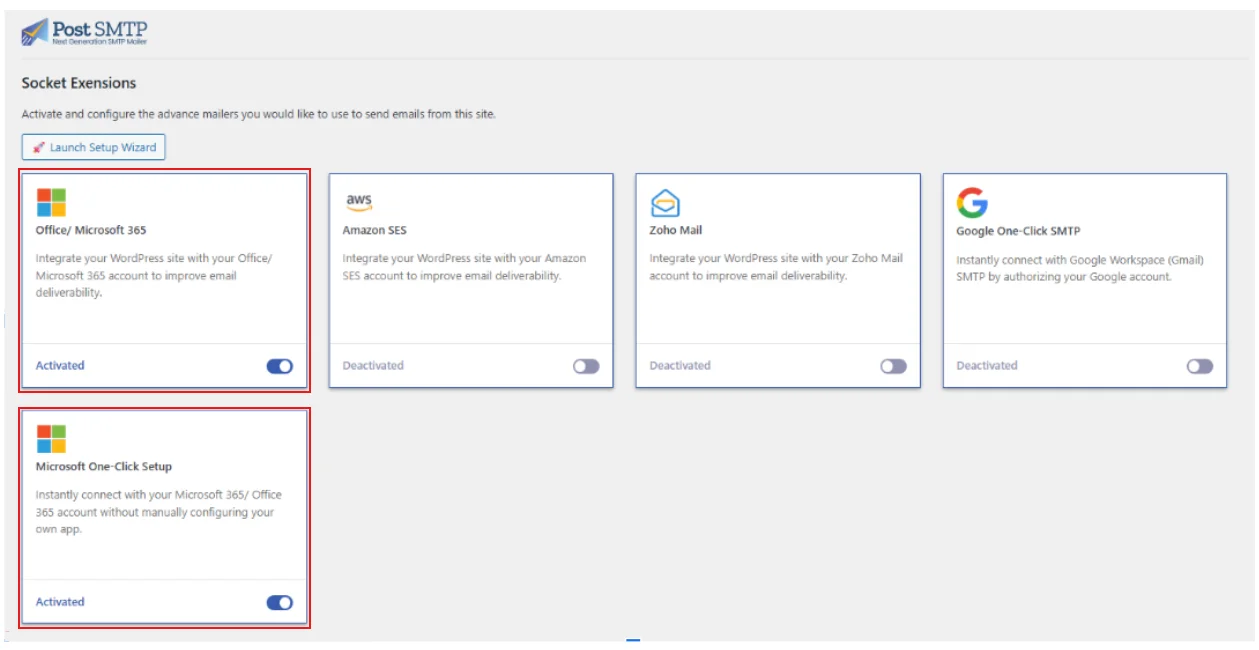
Important: The Microsoft Office 365 extension must also be enabled, as it’s required for the One-Click SMTP feature to function.
Step 1: Select Microsoft Mailer with One-Click
- Go to Post SMTP → Dashboard in your WordPress admin.
- Click the Setup the Wizard → to begin.
- Under the Mailer section, select Microsoft 365 (Outlook / Office 365 API).
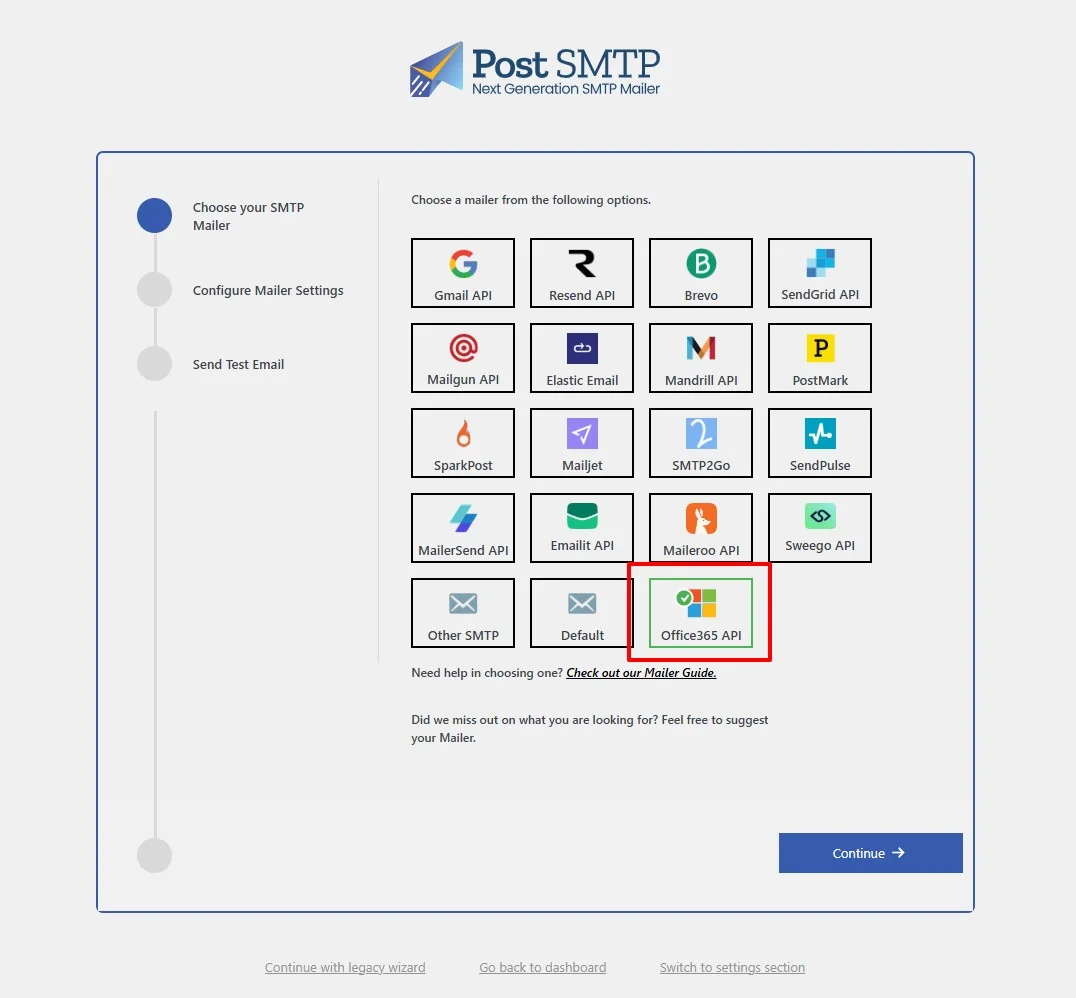
- Enable the One-Click Setup toggle.
Step 2: Authorize Your Microsoft Account
The authorization process happens entirely through Microsoft’s secure interface:
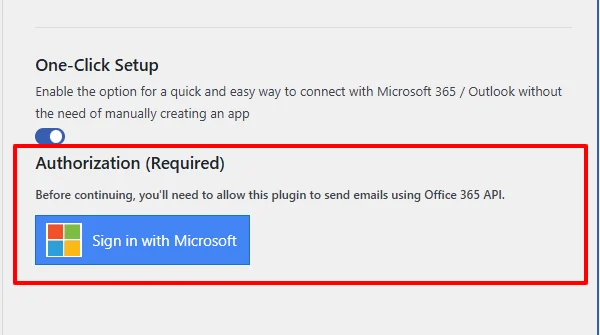
- Scroll to the Authorization section.
- Click Sign in with Microsoft.
- A Microsoft login window appears, enter your credentials for the account you want to use.
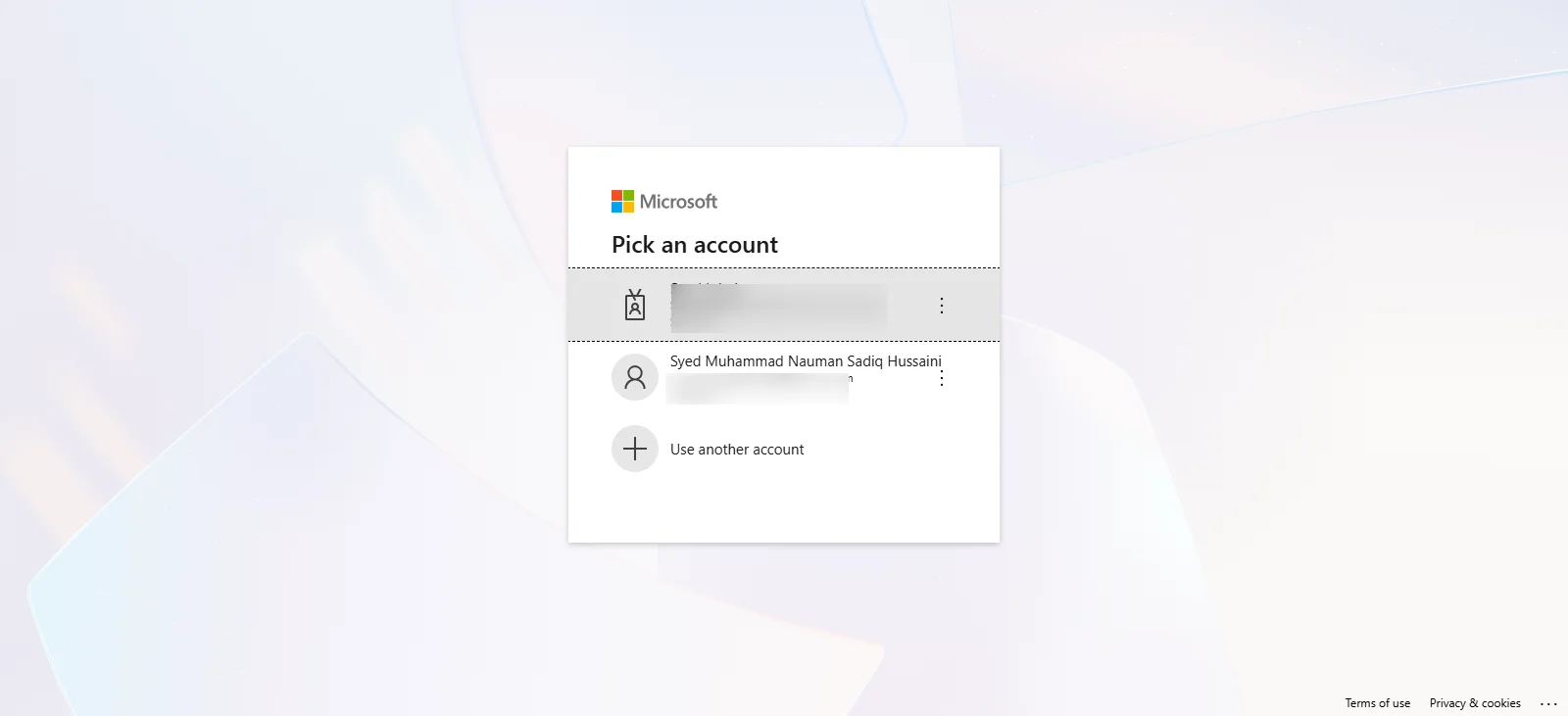
- Microsoft requests permission to share profile information and mail-sending access with Post SMTP.
- Click Accept to authorize the connection.
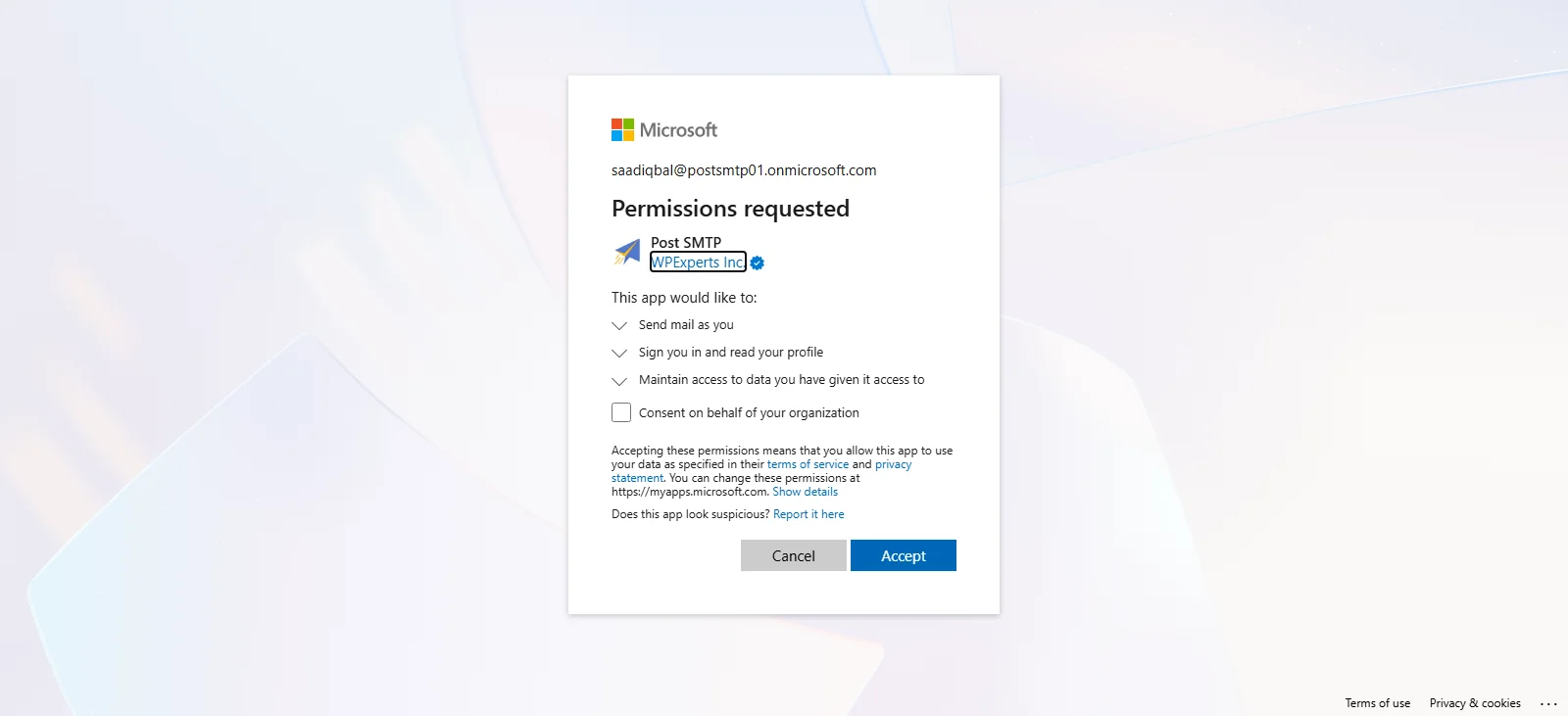
Critical Note: You must sign in to the exact account specified in your From Email Address. Using a different account will cause authentication to fail with a 403 error.
Step 3: Connection Confirmed
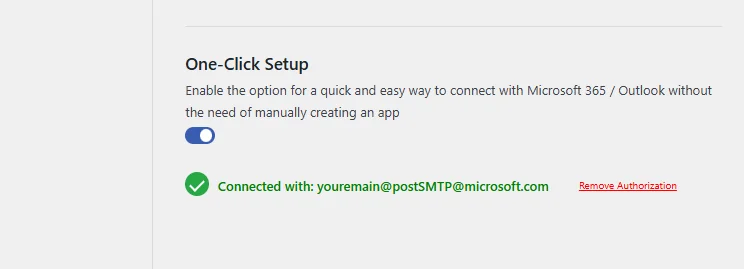
After authorization completes:
- WordPress redirects you back to the Post SMTP dashboard.
- A success message confirms your Microsoft account is connected.
- Your authorized email address appears in the Authorization section.
Your WordPress site is now configured to send emails through Microsoft with enterprise-grade authentication, no server settings, no SMTP ports, no manual configuration.
Troubleshooting and Support
In case you have problems with authorization or have problems with delivery, Post SMTP has comprehensive diagnostic tools. Run a connectivity test to identify configuration issues quickly.
For additional assistance, contact our Support Team. Our engineers specialize in resolving email deliverability challenges and can help with Microsoft-specific configuration issues, including Entra ID permissions.
Upgrade to Post SMTP Business Plan Today
Microsoft One-Click Mailer Setup is available exclusively on the Post SMTP Business plan.
Currently using the free version or a lower tier? Upgrade now to access this feature along with advanced logging, priority support, and premium mailer integrations.
Visit your WordPress dashboard and upgrade to Post SMTP Business to enable Microsoft One-Click Setup.
Your email configuration just got a whole lot simpler.