 OpenAI
 Perplexity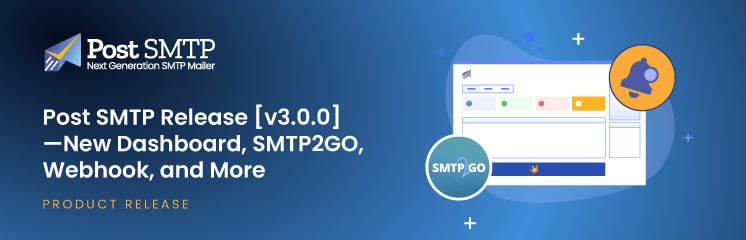
Are you ready to elevate your WordPress email management game? If so, you are going to love this!
With the latest Post SMTP Release v3.0.0, we’re bringing you powerful new features, an intuitive and useful dashboard, a new SMTP mailer, and more enhanced tools such as webhook integration to ensure you get email failure alerts the way you want and improve email deliverability.
Ready? Let’s dive in and explore the exciting updates.
What’s New in Post SMTP Release v3.0.0?
We have listened to user feedback and crafted the v3.0.0 update to make your experience better than ever. We’ve packed this update with exciting features and interface enhancements designed to improve your experience managing WordPress emails.
From a redesigned dashboard that brings essential information to your fingertips to powerful new tools like Webhook Alerts, there’s plenty to be excited about.
Here is the list of key features that we have added in Post SMTP v3.0.0.
- New Dashboard to Ease Accessibility
- New SMTP Mailer (SMTP2GO)
- Webhook for Email Failure Alerts
Feature #1: New Dashboard to Ease Accessibility
We have designed the new dashboard to provide a modern and user-friendly interface that gives you easy access to critical information and tools, helping you manage your WordPress emails more efficiently.
The new dashboard has five sections, which are as follows:
- Email Delivery Overview
- Recent Logs
- Quick Access to Guides and Documentation
- Troubleshooting Tools Section
- QR Code to Install Mobile App
Now, let’s explore each section in detail:
- Email Delivery Overview
The new stats grid provides an at-a-glance overview of your email activity over a certain period (monthly, weekly, daily).
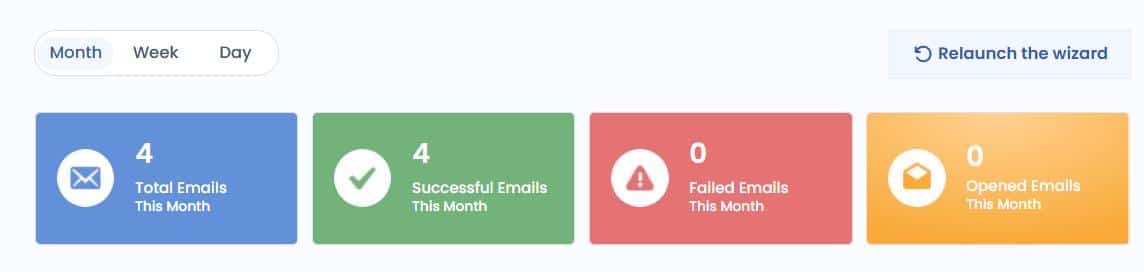
- Total Emails Sent: Keep track of your total mail volume.
- Successful Emails: Quickly see how many emails were delivered without any issues
- Failed Emails: Identify delivery problems that need your attention.
- Open Emails: Monitor user engagement with your emails.
This visual representation makes it easier to assess your email performance and detect any anomalies.
- Recent Logs
The Recent Logs section gives you instant access to your latest email logs, showing:
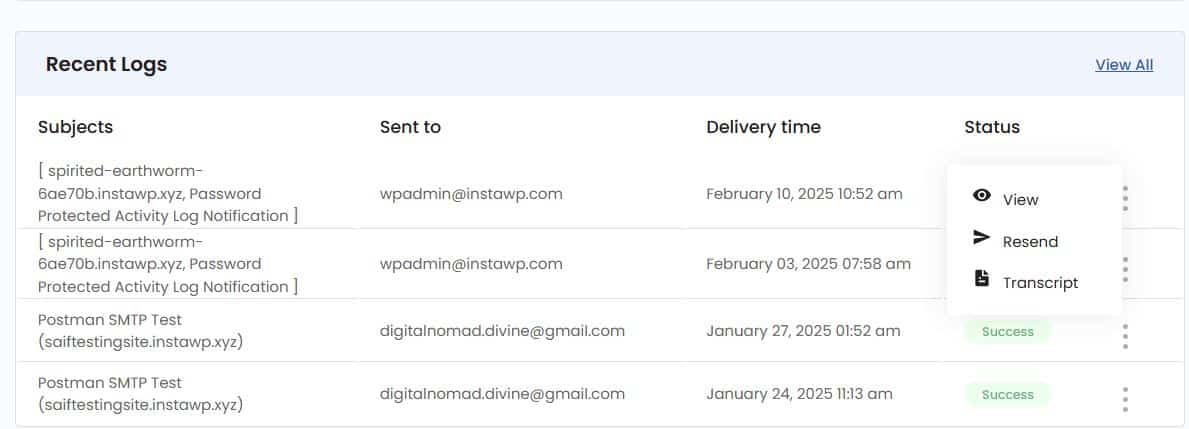
- Subject: Easily identify the email entry.
- Recipient (Send to): Know who received the email.
- Delivery Time: Track when the email was sent.
- Status: See the success or failure status at a glance.
You can also view more details or take corrective action, such as resending a failed email, directly from this section.
- Quick Access to Guides and Documentation
To help you get the most out of Post SMTP, the dashboard now includes a dedicated section for Guides and Documentation.
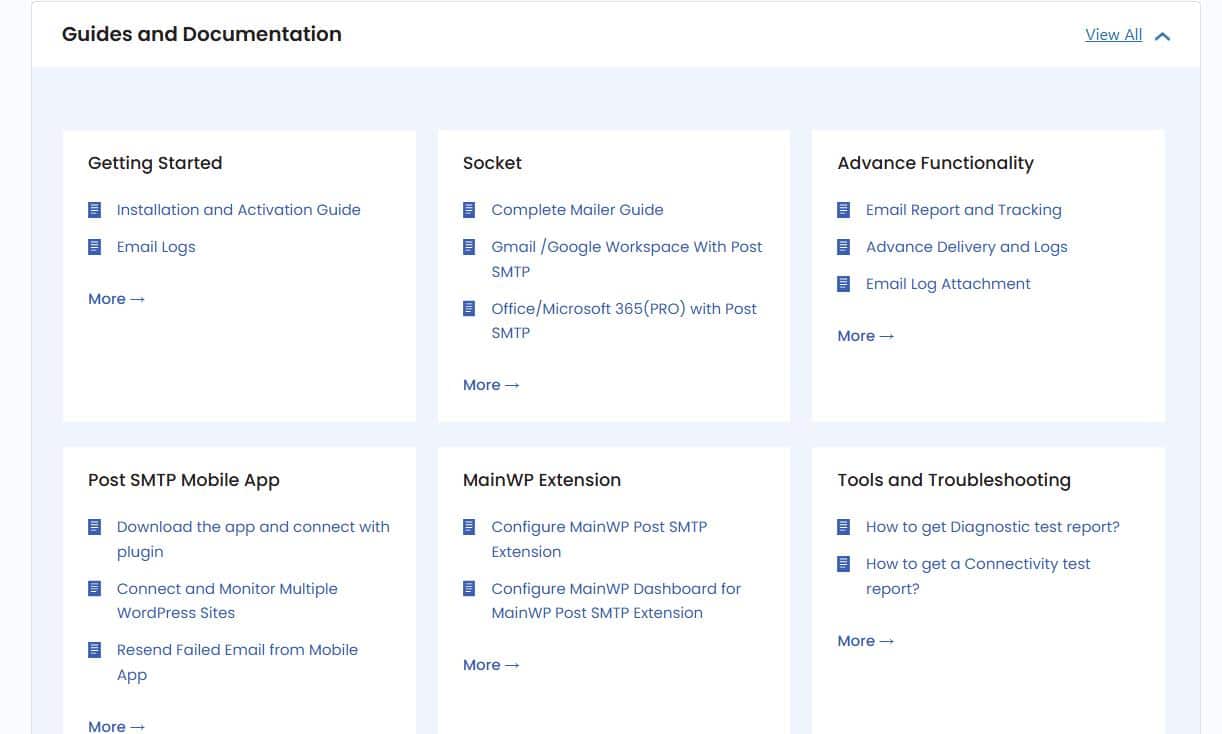
- Getting Started: Learn how to set up the plugin and configure basic settings.
- Advanced Functionality: Explore features like email tracking and log attachments. Advance delivery logs, etc.
- Socket Guides: Learn how to configure all popular mailers, such as Gmail, Brevo, Postmark, Microsoft 365, etc.
With this section, we make sure that you always have the resources you need to configure and use the plugin effectively.
- Troubleshooting Tools Section
Diagnosing and resolving issues is now more straightforward with the new Troubleshooting Tools section.
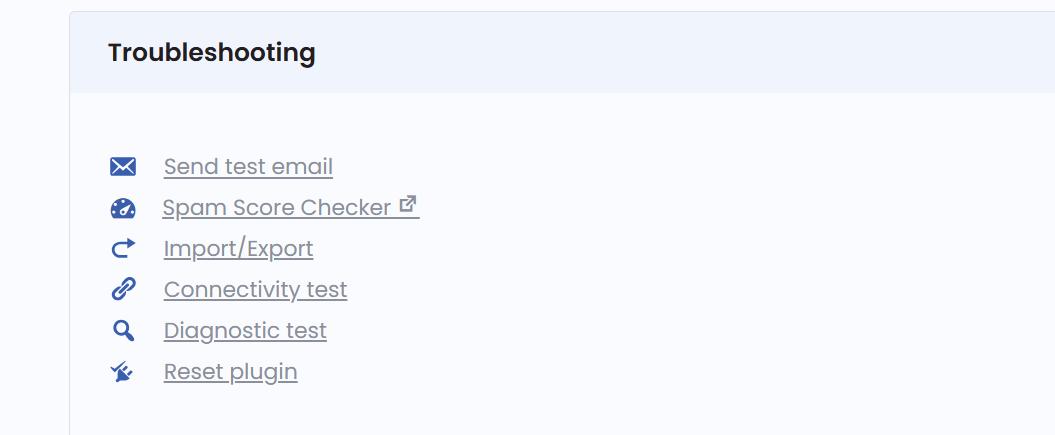
With the troubleshooting section, you can:
- Quickly access tools for sending test emails, checking the SMTP connectivity, and resetting the plugin.
- Also, you can check your domain spam score and run a diagnostic test.
- Identify and resolve problems without the need for extensive support.
- Quick Way to Connect Mobile App Banner
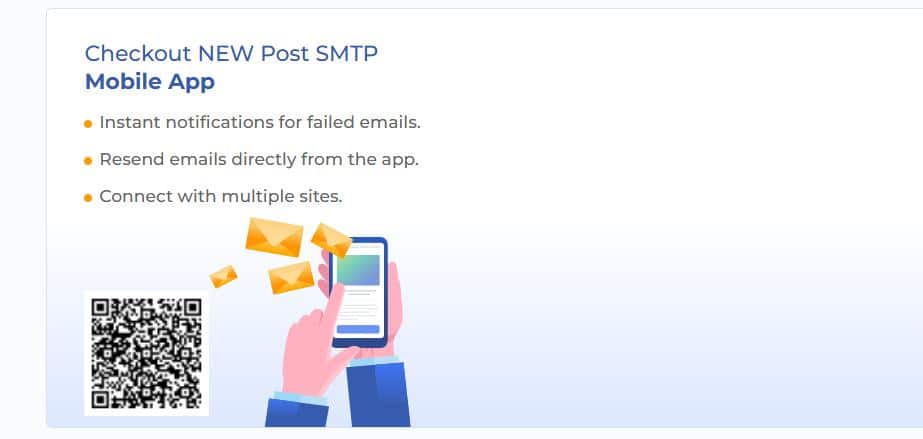
A dedicated banner simplifies the process of connecting to the Post SMTP Mobile App. Simply scan the QR code directly from the dashboard to download the app and get instant notifications for failed emails, which allows you to manage your email activity on the go.
Feature #2: New SMTP Mailer (SMTP2GO)
To offer greater flexibility and reliability, we’ve added support for SMTP2GO as a new SMTP mailer option.
Why SMTP2GO?
SMTP2GO is known for its high deliverability rates and robust infrastructure, which makes it an excellent choice for businesses and individuals who need reliable email delivery.
Benefits of SMTP2GO Integration in WordPress
- High Deliverability: Ensure your emails reach recipients without being flagged as spam.
- Reliable Email Infrastructure: It has robust servers to handle your email delivery.
- Global Data Centers: Enjoy fast and efficient email routing.
How to Configure SMTP2GO
- Navigate to the Connections tab in Post SMTP settings or click the “Start the wizard” button or “Relaunch the wizard.”
- Select SMTP2GO as your mailer and click “Continue.”
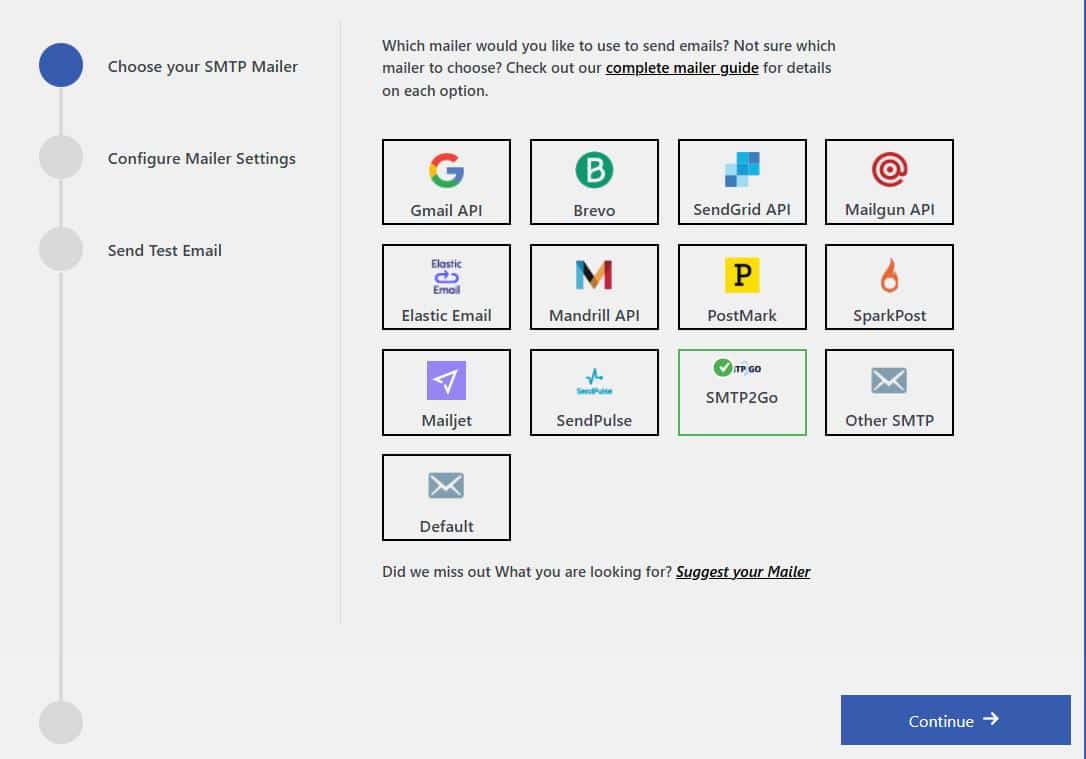
- Enter your SMTP2GO API key and From Address details (i.e., From Email and From Name).
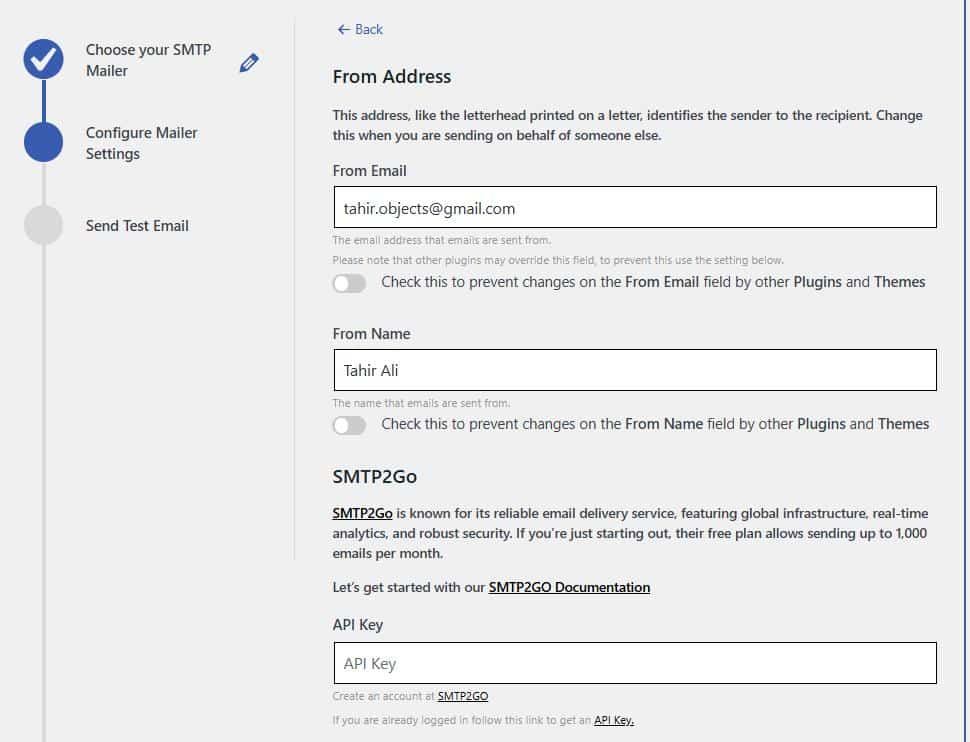
- After that, hit the “Save and Continue” button at the bottom and send a test email in the final steps to ensure everything is working correctly.
This new integration gives you more flexibility in choosing the best mailer to optimize your email delivery strategy.
Feature #3: Webhook Alerts for Email Delivery Failure
You don’t want to miss a critical email failure notification, right? That’s why we have added Webhook for Email Failure Alerts, which allows you to receive email failure notifications via the app of your choice.
Why Use Webhook Alerts?
Webhook Alerts enable you to integrate Post SMTP with other applications and services, providing real-time notifications when an email fails to deliver.
- Real-Time Notifications: Get immediate alerts when an email fails to send.
- Custom Integration: Connect with your preferred services to trigger specific actions.
- Multiple Webhook URLs: Add as many webhooks as needed to suit your requirements.
How to Set Up Webhook Alerts
- Go to Settings > Notifications.
- Select Webhook Alerts as your notification service.
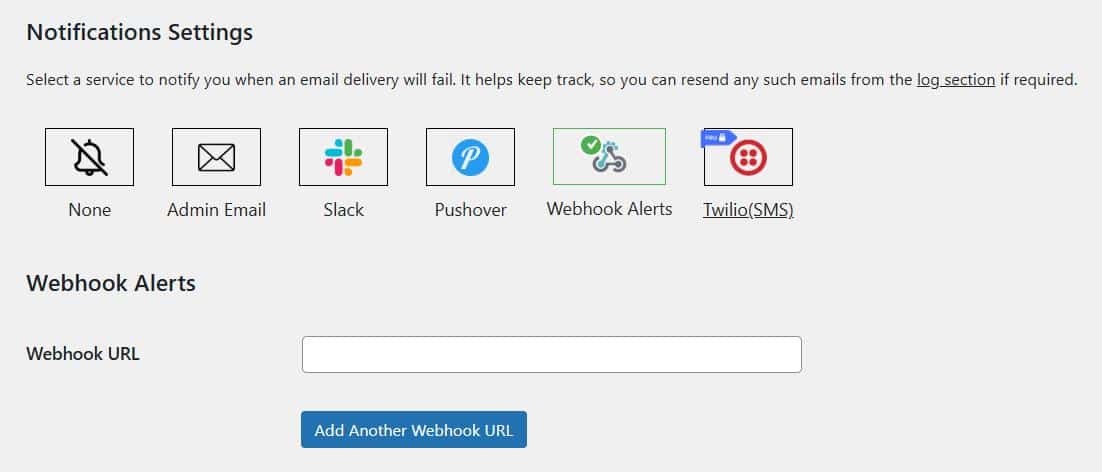
- Enter the webhook URL(s) where you want to receive alerts.
- Click Add Another Webhook URL if you need to add more.
- Save the settings.
This Webhook Alerts feature ensures that you stay informed about email issues and can respond promptly to any delivery issues.
Update Post SMTP Now to Take Advantage of These New Features
With the release of Post SMTP v3.0.0, you gain access to a user-friendly dashboard, a powerful new SMTP mailer, and advanced notification capabilities.
The new dashboard simplifies access to essential tools and information, while features like the new SMTP2GO mailer and Webhook Alerts provide advanced capabilities for email management.
Don’t wait—update to Post SMTP v3.0.0 today and start enjoying these new features. If you need assistance, our expert support team is always here to help.
Experience the future of WordPress email management NOW with Post SMTP Release v3.0.0.
So what are you waiting for? Update Post SMTP now and take control of your email delivery like never before.