 OpenAI
 Perplexity
A decade ago, Post SMTP began its journey to provide exceptional automated emailing experiences through a purpose-built SMTP plugin for WordPress sites.
At the start of this year, we intensified our development efforts and created noteworthy features, including a new Dashboard, webhook integration, and more.
However, we have been working to ship a few valuable features. With version 3.2.0, we are happy to introduce:
- Deliverability Checks (FREE)
- Gmail One-Click SMTP Setup (PRO)
- Microsoft Teams Notifications (PRO)
Deliverability Checks
To counter spam, all popular email inbox providers have authenticity filters to check whether an email is coming from a reputable and secure domain.
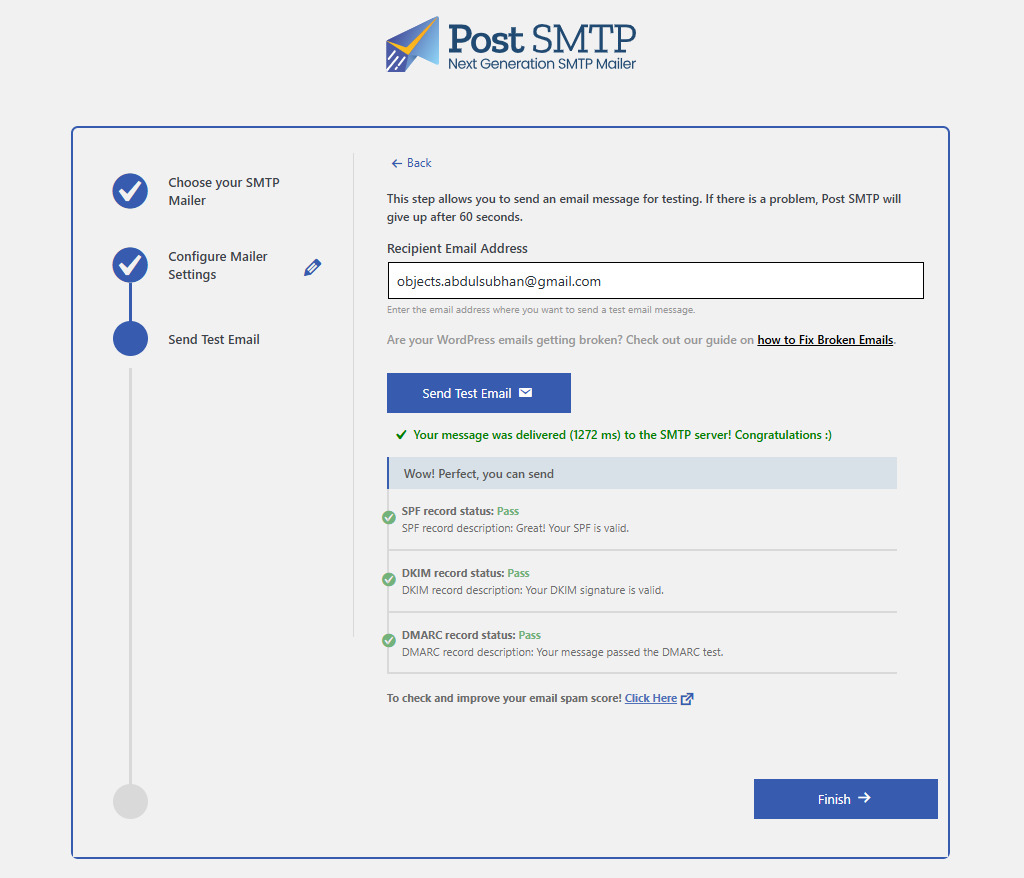
Starting with v3.2.0, whenever you send a test email, Post SMTP performs deliverability checks by scanning the DKIM, DMARC, and SPF records to indicate how likely your domain is to achieve successful inbox placement.
This feature is available free of charge to all our users.
Gmail One-Click SMTP Integration (PRO)
Setting up Google Workspace (Gmail) SMTP comes with a steep learning curve, as you are required to create a Google Cloud Platform (GCP) account, set up a project, enable the Gmail API, and activate OAuth.
For someone who is not familiar with GCP, this integration is too cumbersome.
Introducing Google (Gmail) One-Click Mailer Integration!
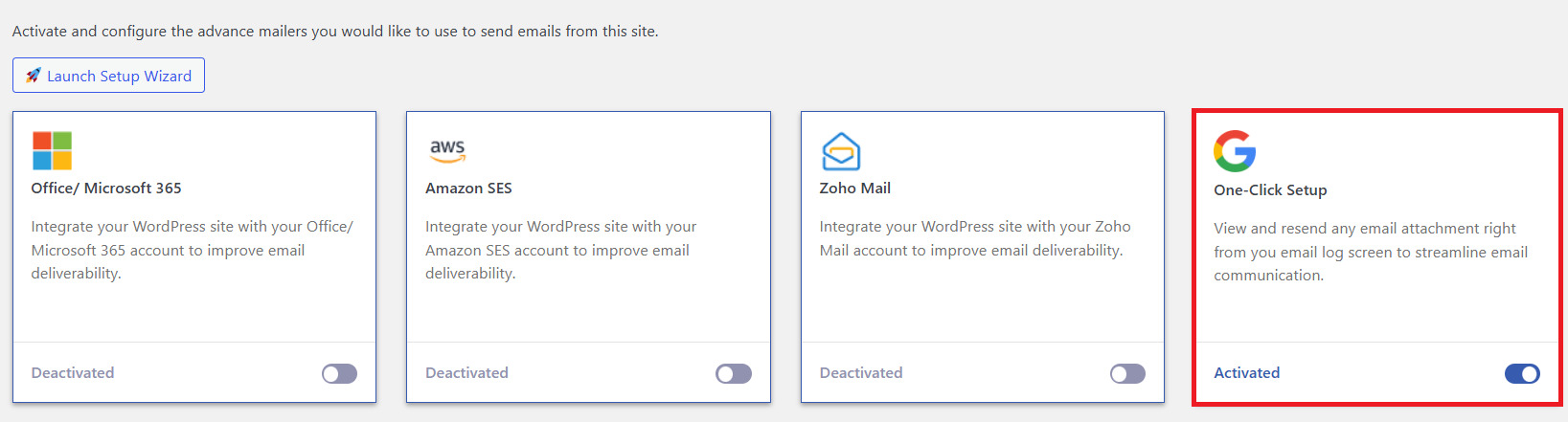
With just a click (or tap), you can integrate your Google Workspace or Gmail email address with Post SMTP. No GCP configuration required!
Yes, it’s that easy. All paid plans of Post SMTP can enjoy this feature right away.
Microsoft Teams Integrations (PRO)
Over a million companies around the world use Microsoft Teams for seamless collaboration. Therefore, it was imperative for us to build this feature to keep users informed about failed email deliveries.
Available for all Business users, you can set failure alerts on Microsoft Teams by creating a Teams Webhook URL.
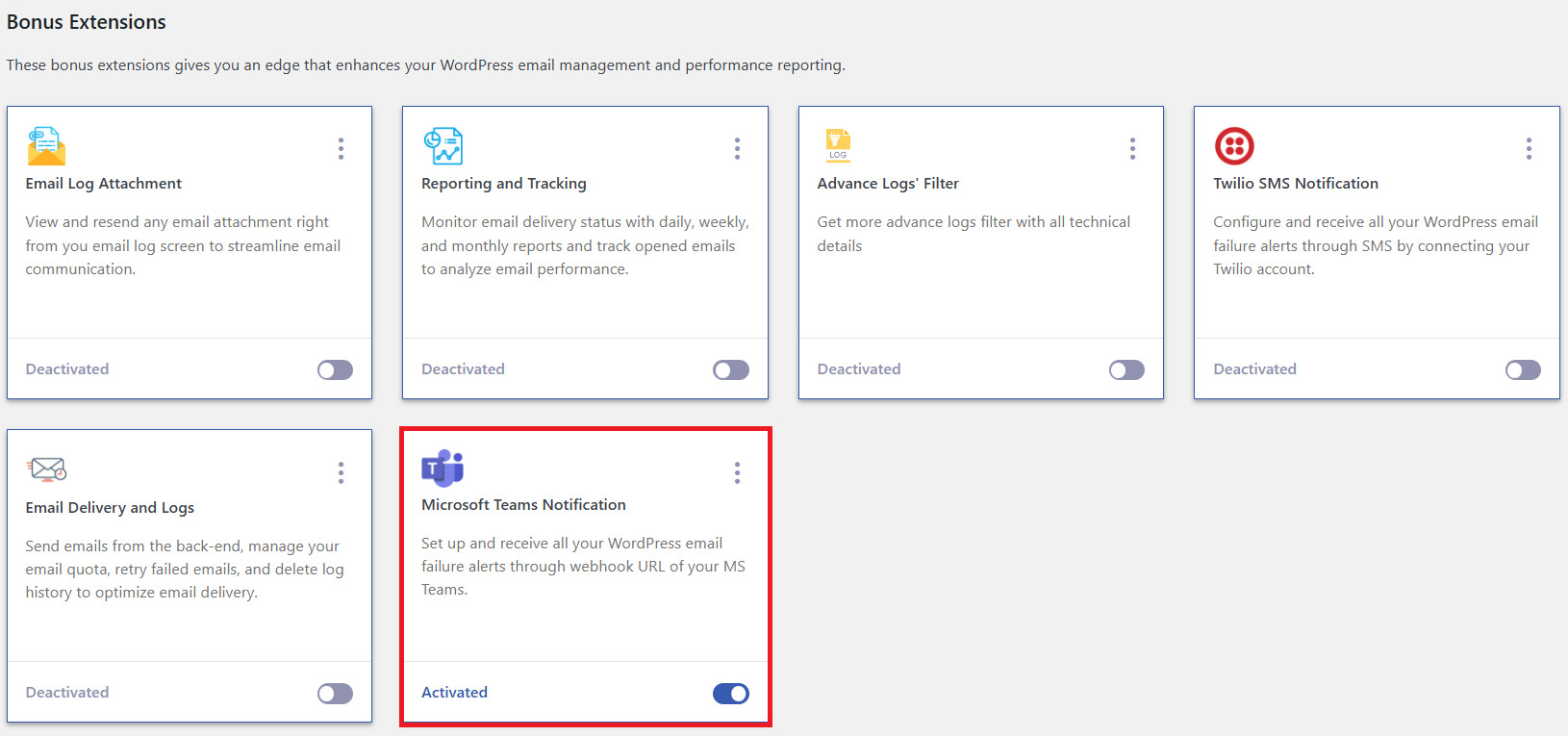
To set up your first alert on Microsoft Teams, check out our detailed guide on how to integrate Microsoft Teams with Post SMTP.
MT: Post SMTP v3.2.0 – Google One-Click Mailer, MS Teams Alerts & Deliverability Checks
MD: Three new features of v3.2: Gmail SMTP Set-Up is now one-click. Stay informed about domain reputation with delivery checks and email failures via Microsoft Teams.