























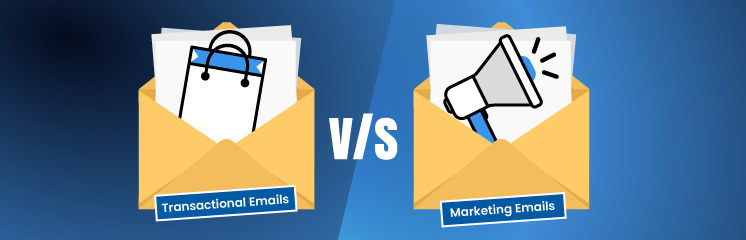


Email is a vital tool for business communication. It helps businesses communicate with their audience and gain new customers. If you want your business to thrive, you must utilize these powerful tools accordingly.
This article will help you understand the key differences between the two, their characteristics, examples, best practices, and more.
Let’s jump into the detailed transactional email vs marketing email guide!
Transactional Email vs Marketing Email: Understanding the Key Differences
Transactional emails are triggered by certain users’ actions. Whereas, marketing emails are ones sent for marketing purposes to gain new customers, retain old ones, promote offers, etc. Let’s dive deeper to understand the fundamentals.
What is a transactional email?
Also known as triggered emails, these are triggered activated by the user’s interaction with the application or a website. For example, you receive a transactional confirmation email with your order details upon completion. Or when you forget your password and request a reset, the following password reset email with a link allowing changing the password, is another example of transactional email. These emails are not personalized to individual users and are always automated.
Characteristics of transactional emails
Transactional emails are completely different from marketing emails. As given, both serve different purposes and appear completely different to the receiver. Here’s what defines a transactional email:
- Triggered by a user action. These emails are triggered after the user takes a certain action on a website or an application, such as opting in to receive promotional emails, placing an order, requesting to change password, getting a freebie, etc.
- May contains sensitive information about the user. Transaction emails may contain sensitive information, such as passwords and links that may allow access to the account.
- The user does not require opt-in. Unlike marketing emails, the receiver does not need to opt-in to receive these emails. Therefore, an unsubscribe link is also not necessary in such emails.
- GDPR and similar laws don’t apply. Since these emails are necessary for account creation and further useful activities, such emails are required for a business to run and sustain. Thus, GDPR and similar laws don’t apply, just ensure not to use promotional message or sneaky link with regular transactional emails.
- Unique structure. Since transactional emails are intended for providing quick information or taking action, they have a unique structure with a predesigned format and emphasis or focus on the important info, such as a one-time password, four or six digit code, or a useful link.
Transactional emails: Best practices
Following best practices is crucial to ensure your transactional emails serve their purpose effectively. Below are some key best practices to follow:
- Keep it clear and concise. Transactional emails should deliver the necessary information in a straightforward manner. Avoid unnecessary content that could distract the user from the main message. The primary purpose should be evident at first glance.
- Ensure the design’s responsiveness. A big chunk of people like to check emails on mobile devices. A responsive design makes it easier for your such audience to read the email and interact.
- Avoid promotional content. Given that marketing and transaction emails are completely different. Therefore, do not write about or sneak in a link
- Use a friendly tone. Maintain a professional tone while ensuring the message remains warm and approachable. This helps build a positive connection with the user.
- Include a clear call-to-action (CTA) if necessary. If the email requires the user to take action (e.g., resetting a password, confirming an order, or verifying an account), make the CTA prominent and easy to follow.
- Avoid spam-triggering words. To prevent emails from landing in spam folders, use authenticated email domains and avoid spam-triggering words, such as additional income, be your own boss, 100% free, etc.
- Encourage more support. Include a link to the support team or contact information for customers who might be perplexed regarding the procedure of performing an action.
By implementing these best practices, your transactional emails can effectively serve their purpose while improving user engagement and trust.
Now, let’s take a look at a few examples before jumping into marketing emails.
Transactional email examples
Businesses can send transactional emails for a variety of purposes. Here are a few examples:
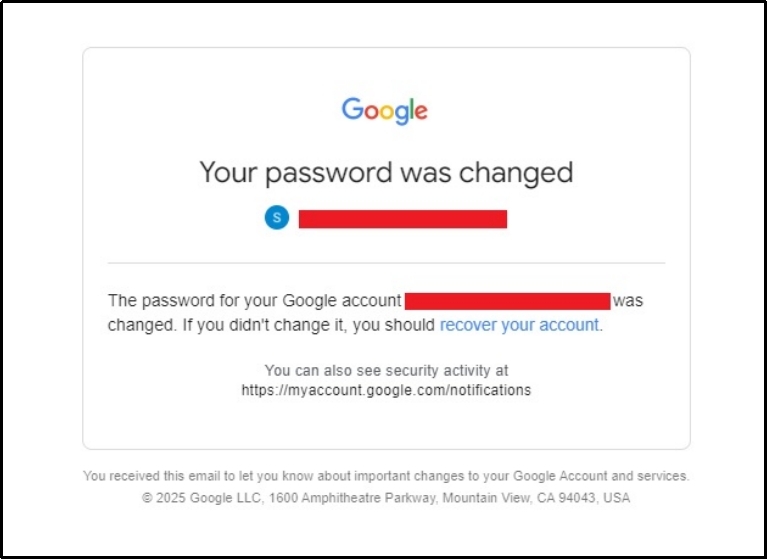
1. Your password was changed
This email from Google notifying the user about the password change is an excellent example of transactional email. It is concise, clear, and provides an actionable link to protect your password in case a bad actor has changed it.
2. Funds transfer
Another example can be a simple fund transfer notification or any information about your account from the bank or financial institutions.
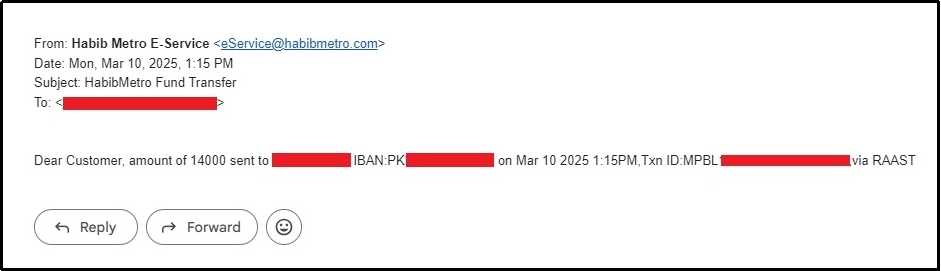
As you can see in the example, this one is concise as well, clearly stating the amount, account number, date and time, and medium. Simply put, everything you need to know about a transaction.
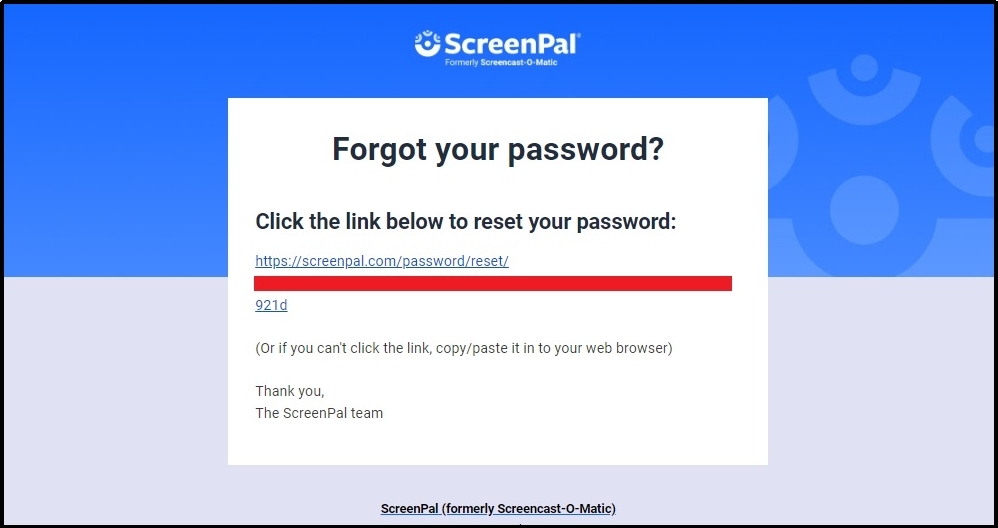
3. Forgot your password?
Next, we have this appealing password reset email from ScreenPal. It is pretty effective with a sleek design and a clear leading which leads to the password reset screen. Offering further instructions on what to do if the link is not clickable.
That’s transactional emails. Now, let’s move forward to the marketing ones.
What is a marketing email?
A marketing email is a commercial email that is usually sent to a group of people to promote a product or service, offering deals or coupons, or engage with existing customers. These emails are usually done to increase sales and potentially the company’s revenue.
Characteristics of marketing emails
Given that marketing and transactional emails differ, let’s explore what defines a marketing email.
- Personalization. Marketing emails are personalized for a targeted segment. For example, the targeted users might be those who have previously used the product but haven’t invested in the premium.
- Clear call-to-action. Marketing emails usually end with a clear and intriguing call-to-action to persuade the users to take an immediate action.
- Professional structure. These emails are dense with the brand’s identity to ensure consistent appearance throughout the experience.
- Requires opt-in. Unlike transactional emails, you can’t send promotional emails to users with explicit consent.
- Easy unsubscribe. Even if they do consent to receiving such emails, you still have to make it crystal clear for users who want to stop receiving such emails.
- Captivating subject line. Since such emails are intended to capture eyeballs and persuade users to further reading, thus the subject line is usually catchy and thought-provoking.
- Detailed monitoring. Unlike transactional emails, there are several metrics other than just open rates, including open rate, click-through rate (CTR), conversion rate, deliverability rate, and more.
- GDPR and all further laws apply. Before sending a promotional email, ensure it follows all laws and regulations. Otherwise, hefty fines can be charged, damaging your business’s reputation and financial condition.
Marketing emails: Best practices
Creating an effective marketing email differs from crafting a transactional email because users are required to open transactional emails to perform certain actions like changing a password. However, that’s not the case with marketing emails. Thus, constructing a compelling marketing is essential. Here’s what you should do:
- Keep it clear and engaging. Marketing emails should be easy to read and straight to the point. Avoid long paragraphs or too much information that might overwhelm the reader. Make sure the purpose of the email is instantly evident.
- Make it mobile-friendly. As discussed, a responsive design ensures your email looks good on any screen size, making it easier for recipients to engage with the content.
- Craft an attention-grabbing subject line. The subject line is the first thing users see, so it must be intriguing. It should create curiosity while remaining relevant to the email content.
- Use visuals. Utilizing images, banners, or graphics can help make the content more appealing. Eventually, increasing the time people spend on your email, making it more likely to convert.
- Maintain a friendly yet professional tone. Your email should sound welcoming but still professional. A conversational tone can make the message feel more personal and friendly.
- Include a strong call-to-action (CTA). Whether you want users to shop, sign up for a webinar, or download a resource, your CTA should be crystal clear.
- Avoid spam-triggering words. Again, just like with transactional emails, you have to avoid words that may cause the email to land in spam.
- Comply with regulations. Ensure your emails follow laws like GDPR, CAN-SPAM, and other applicable regulations. Always include an easy-to-find unsubscribe option.
- A/B test for better performance. Last but not least, testing different subject lines, email designs, and CTAs can help determine what converts the most. Regularly analyzing results allows for continuous improvement.
Marketing email examples
Just like we did for transaction emails, let’s take a look at a couple of examples for marketing emails.
1. New feature update for Ubersuggest
While talking about marketing, let’s take an example from this marketing genius, Neil Patel. In a marketing email, he is announcing the enrollment of a new feature in his SEO tool, Ubersuggest.
The email starts with a captivating image.

Then, briefly explains the feature with a killer hook before the CTA.
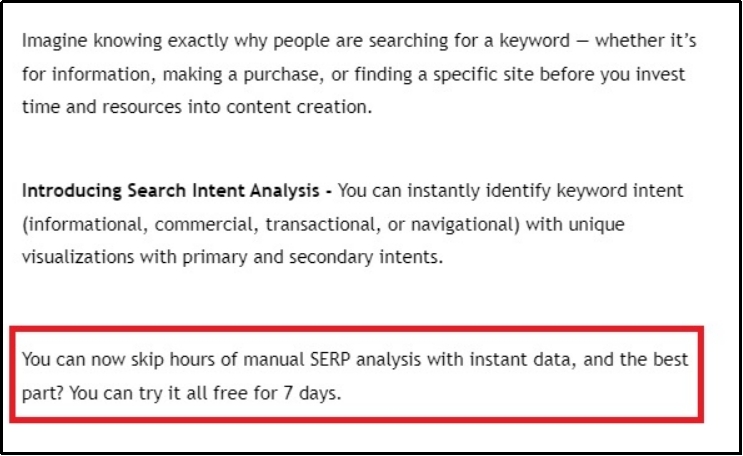
Finally, ends the email with an intriguing CTA.
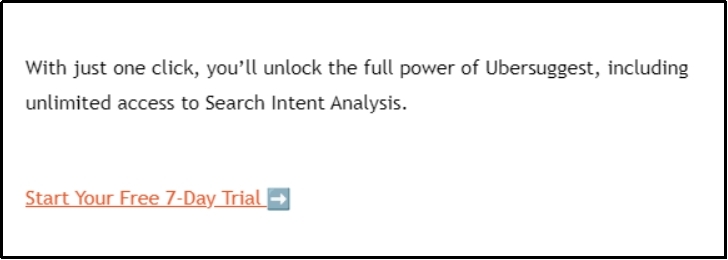
This one is the perfect example of a super effective marketing email.
2. Grammarly sale
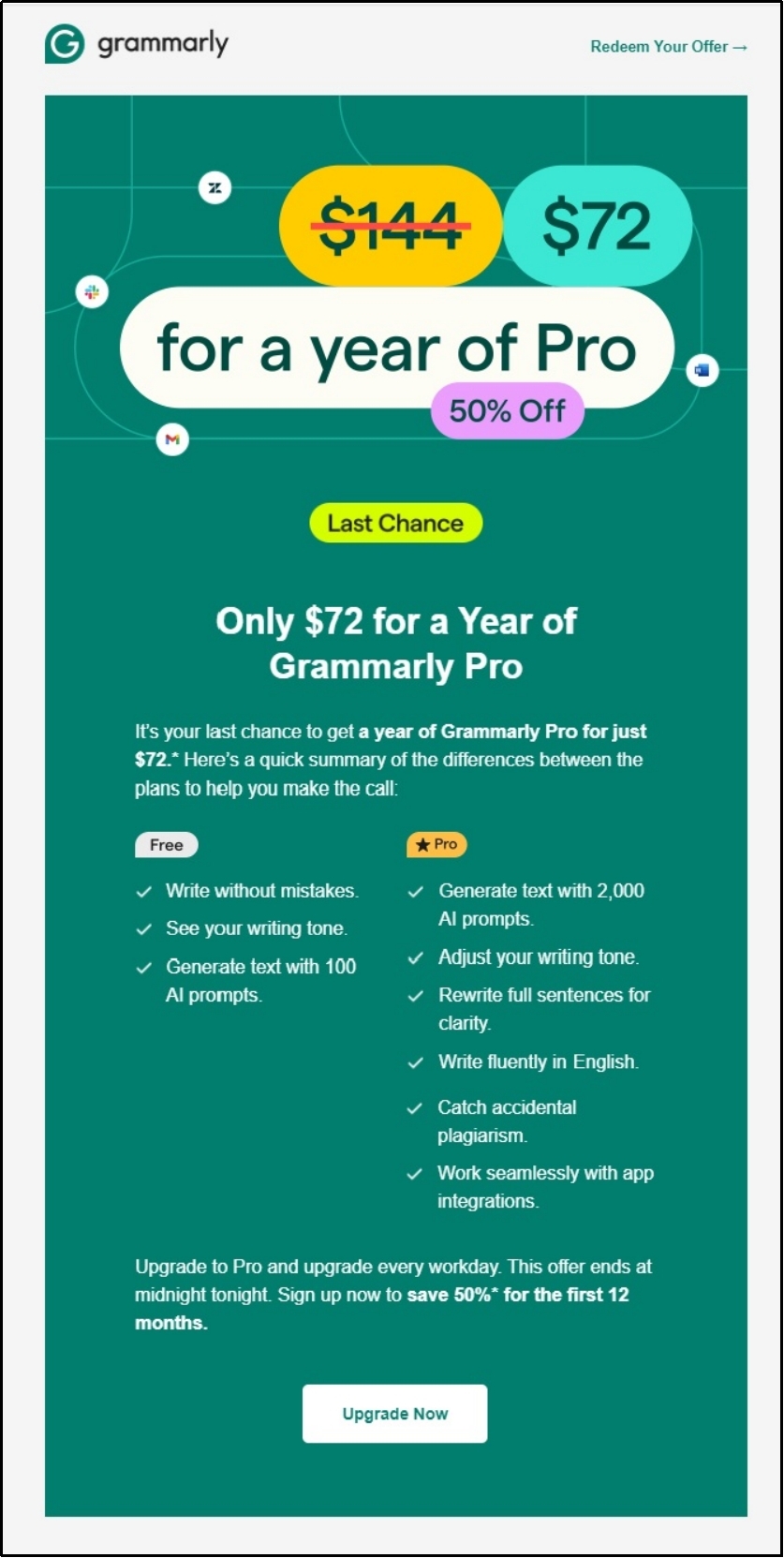
For another marketing email example, we have this captivating Grammarly banner promoting their new deal. The email is crafted according to the brand identity, using the brand colors and supporting typography, making it pleasing for the eye.
Later, it defines the benefits of Grammarly premium and ends with a simple yet powerful CTA.
That concludes it.
Unlocking Your Emailing Potential
Transactional emails vs marketing emails, both are essential for a business to enhance customer experience and revenue. While transactional emails help communicate with the customers, marketing emails help gain new ones.
However, not every email reaches the inbox even if you are vigilant about the vocabulary usage and sender address. That’s because sometimes, CMS like WordPress use their default email sender, which lacks proper authentication protocols, resulting in deliverability issues. You can fix the issue by using a reliable third-party email sender, which you can effortlessly do with PostSMTP.
Fix deliverability issue now with the best SMTP plugin. Try now!