 OpenAI
 Perplexity
WordPress and email deliverability issues usually go hand-in-hand. These common issues occur due to the lack of authentication protocols by the WordPress default PHP mail() function. It might sound complicated, but it is actually a very straightforward process.
Such complications are also the reason behind the infamous “WordPress admin email change not sending confirmation email” issue when changing or adding a new administrator account.
This article explores the common reasons behind this infamous issue, and we will show you two super simple ways to overcome this problem.
Let’s jump right into it!
Why is WordPress Admin Email Change Not Sending Confirmation Emails?
WordPress uses its default mailer to send such emails, which is called the PHPmailer or php mail() function. Oftentimes, it fails to send emails because it lacks proper authentication protocols, and receiving servers do not allow emails lacking such protocols.
The protocols are called DKIM, SPF, and DMARC. These three work together to evaluate the authenticity of the incoming email. Depending on the results, the email is either rejected, quarantined, or allowed. Let’s learn more about them in detail.
Before sending the email, DKIM or DomainKeys Identified Mail adds a digital signature, assuring the receiving server that the email is authentic and wasn’t tempered with on the way.
On the other hand, SPF or the Sender Policy Framework checks if the incoming email comes from one of the servers authorized by that domain’s administrator.
Once the emails go through these protocols, it finally comes down to DMARC or Domain-Based Message Authentication, Reporting & Conformance, which chooses to reject, quarantine, or allow the email in the inbox. Learn more about these email protocols in this detailed guide:
This is also the same culprit behind the infamous WordPress not sending email issue. Since WordPress’s default mailer lacks these protocols, most email servers reject the email, causing it never to reach your inbox.
How to Fix WordPress Admin Email Change Not Sending Confirmation Emails?
Now that you understand the common cause behind the issue, let’s move on to the solution.
You can effortlessly fix the issue by changing WordPress’ default mailer with one that has the authentication protocols intact. This would allow the email servers to allow the email in the inbox, potentially fixing the problem.
The issue can also arise due to the corruption of DNS records. Finally, we will take a look at the DNS records.
Solution 1. Change the WordPress default mailer: 3 Steps.
The easiest way to do so is with the Post SMTP WordPress plugin. The world-renowned plugin solves all the deliverability issues in the blink of an eye. Let’s take a look at the step-by-step process.
Step 1. Install the Post SMTP plugin.
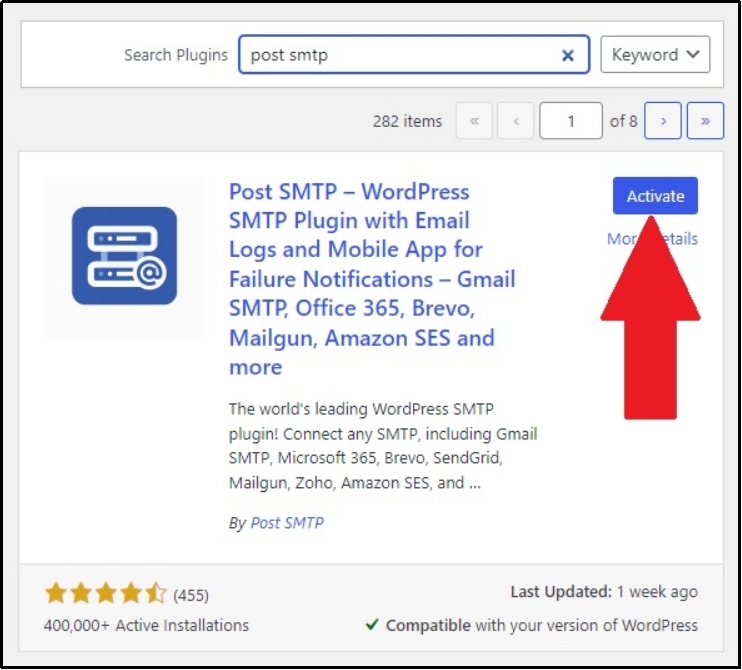
First and foremost, download the PostSMTP plugin from the WordPress directory. You can easily do so by navigating to your WordPress >> Plugins >> Add New Plugin >> Search for Post SMTP.
Once the plugin is downloaded, activate it with the “Activate” button.
Step 2. Set up a mailer.
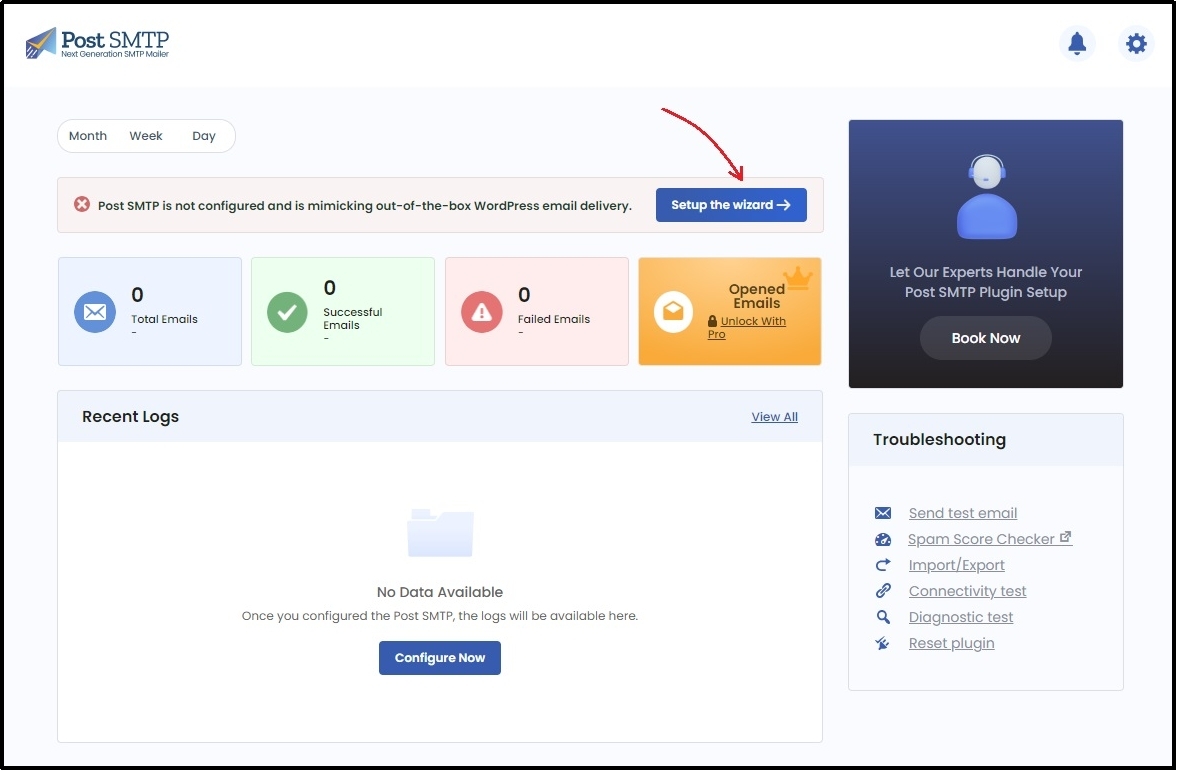
Right after activation, you will be prompted with the Post SMTP setup wizard, which is a three-step process.

After navigating to the settings, run the wizard using the “Setup the Wizard” button.
You will now see a screen asking you to choose your SMTP Mailer.
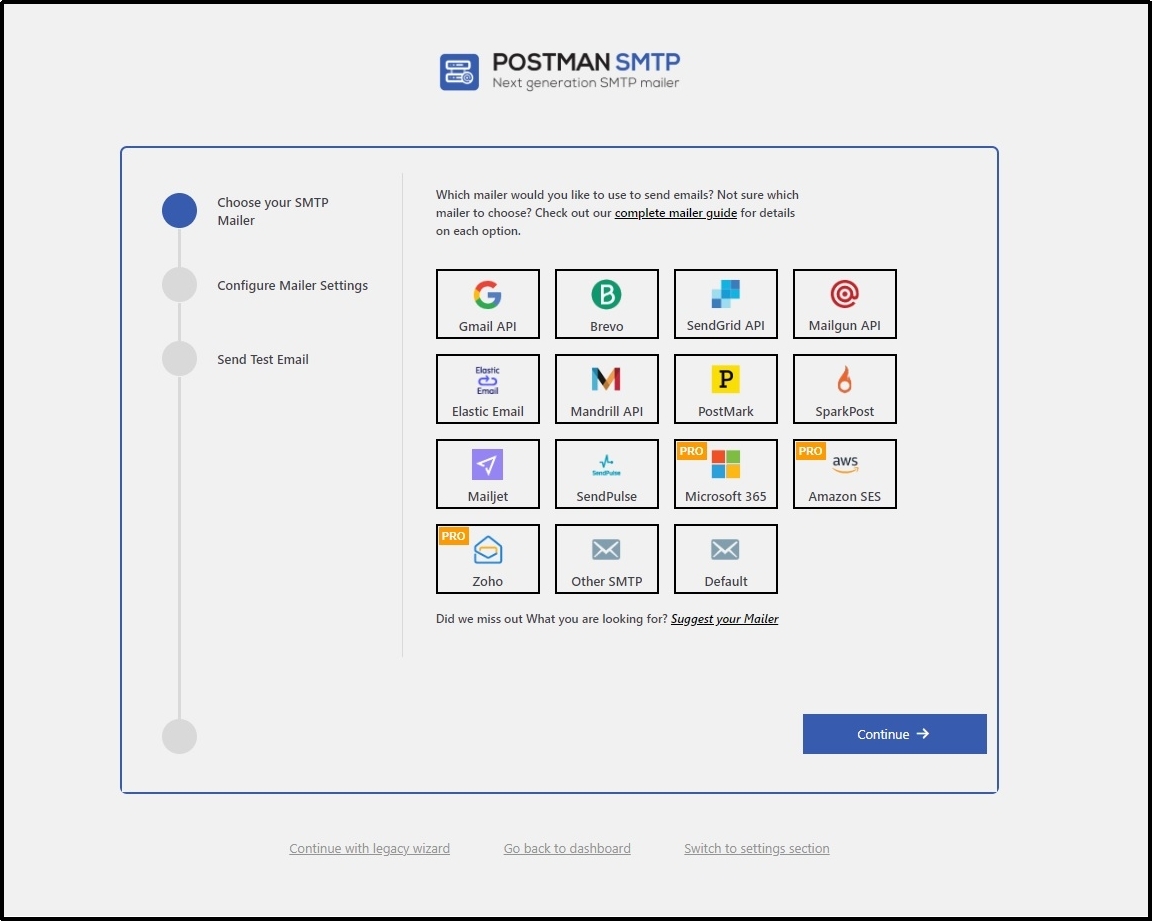
Post SMTP plugin offers a wide range of mailers to choose from, including:
- Gmail
- Brevo
- SendGrid
- Mailgun
- Elastic Email
- Mandrill
- PostMark
- SparkPost
- Mailjet
- SendPulse
- Microsoft 365 [Premium]
- Amazon SES [Premium]
- Zoho [Premium]
| 💡 Every mailer is linked to its documentation to help you get started. In case of uncertainty or if you want us to take care of the integration, our support team is here to help! |
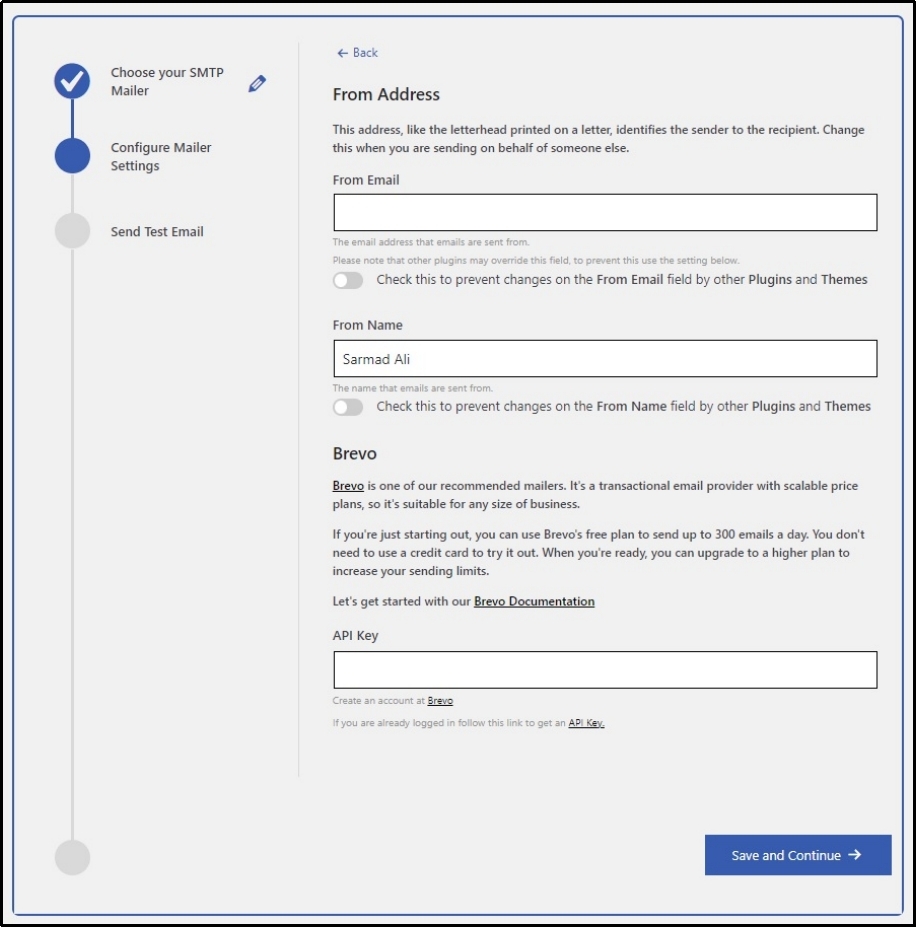
After selecting a mailer, you will be required to fetch API keys from your selected mailer and fill out the following information.
Step 3. Test email.
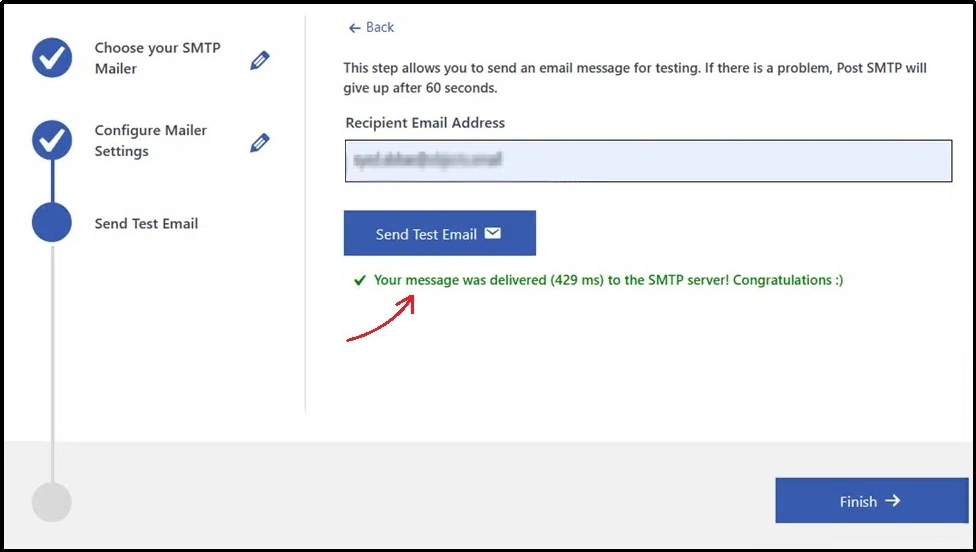
It’s time to test the integration. Fortunately, Post SMTP helps test email deliverability after completing the integration.
On the following screen, you can enter your email address in the recipient input box and enter the “Send Test Email” button.
Post SMTP will test the delivery, helping you overcome the WordPress admin email change not sending confirmation issue.
Now, go back and send an admin email change email again, and this time, it should arrive in your inbox.
Solution 2. Check your DNS records.
Earlier, we discussed email protocols and their essence in email deliverability. These records leverage DNS to work. Simply put, they get the required information from Domain Name Systems or DNS.
If these records are incorrect or missing, there is a good chance your emails will be lost in the way before they find your inbox. Thus, checking for the DNS records is imperative.
You can easily check your DNS records using any public DNS records checker online. If you find something that needs to be changed, you can create these records for yourself or use any online tool that assists with the process.
These records are basically just strings, here’s what an SPF record looks like:

Similarly, here’s what a DMARC record looks like:

💡 Learn to create these records for yourself in our detailed guide about SPF, DKIM, and DMARC: What are SPF, DKIM, and DMARC? [Everything You Need to Know]
Now, we can say for sure that after implementing these two solutions, you will not face the same error again.
Take Your Email Deliverability to the Next Level!
With Post SMTP, you can enhance your email deliverability today! The plugin helps replace WordPress’s default php() mailer with any mailer of your choice, enhancing deliverability and reliability.
To enjoy all the perks, upgrade to Pro today and get access to premium extensions like Microsoft 365, Amazon SES, and Zoho Mail.
Additionally, get amazing features, such as email log attachment, report, and tracking, email open tracking, auto-resend failed emails, and much more!
Frequently Asked Questions
Why am I not receiving a confirmation email when changing my WordPress admin email?
This issue occurs because WordPress’s default mailer, PHP mail(), lacks authentication protocols like SPF, DKIM, and DMARC. Many email servers reject unauthenticated emails, preventing them from reaching your inbox.
How can I fix the WordPress admin email change confirmation issue?
The easiest solution is to replace the default mailer with a reliable SMTP plugin like Post SMTP. This ensures that authentication protocols are intact, improving email deliverability.
Do I need to update my DNS records to fix email deliverability?
Yes, checking and configuring your SPF, DKIM, and DMARC records in your DNS settings is essential. Missing or incorrect records can cause email delivery failures.
How can I test if my emails are being sent successfully?
Post SMTP provides a built-in test email feature. After setting up your SMTP mailer, you can send a test email to verify that emails are being delivered correctly. You can also check your email SPAM score using the Post SMTP’s email SPAM checker. Higher spam score rates can also cause deliverability complications.